This article will guide you on how to setup your Outlook/Microsoft Exchange calendar with Hirebridge.
After you complete this setup process you will be able to schedule interviews directly to your Outlook/Microsoft Exchange calendar, as well as view the availability of other users calendars in your network, even if they aren't users in Hirebridge. This will also allow you to view resource rooms (if applicable) for the interview.
Multiple Calendars can also be used to schedule on behalf of individuals.
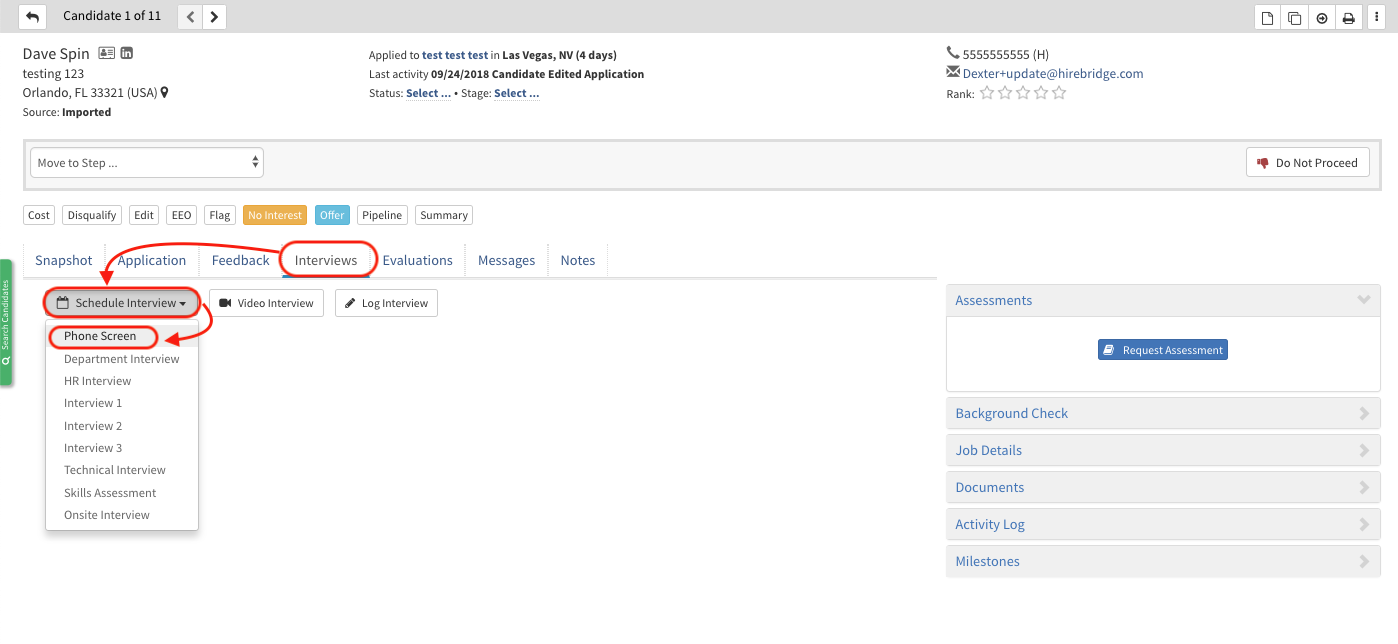
- To access the calendar account manager go into a candidate profile and schedule any type of interview.
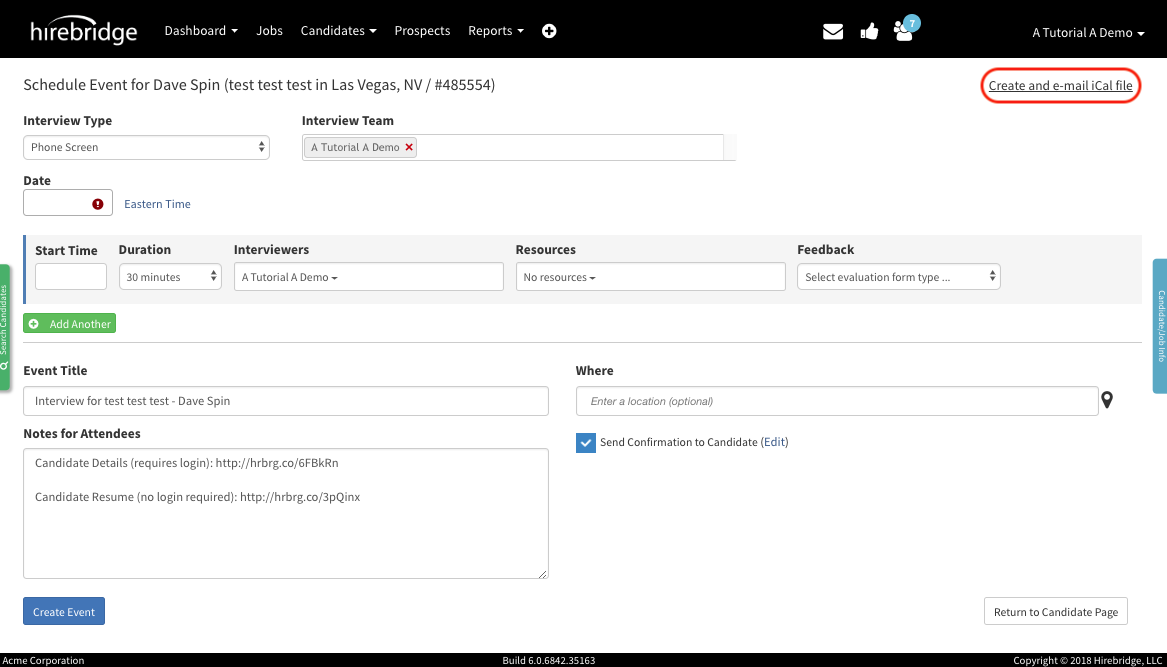
- This will now take you to the candidate interview scheduler. Look for the Create and e-mail iCal file link on the the top right corner of the screen, then click on it.
Note: your email address will appear if your account is already linked to Hirebridge
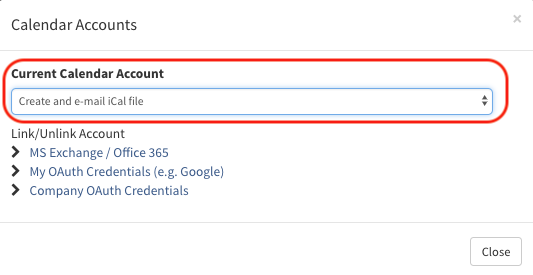
- After selecting the link in the top right corner a pop-up will appear that will give you access you manage your accounts.
- The Current Calendar Account allows you to select from linked calendar accounts.
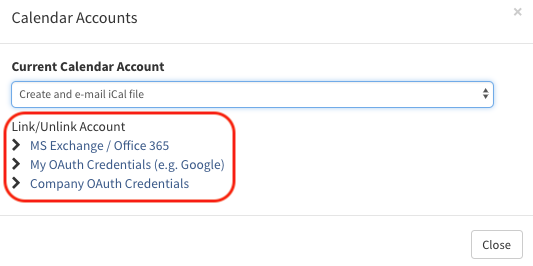
- Selecting your service provider will allow you to add/edit accounts.
- For this example we will use MS Exchange/Office 365. (Image provided below)
- A new page will load that will allow you to add an account or disconnect a current account.
- To add your Microsoft account enter your email address in the first textbox at the top.
- Next enter the password in the second text box below it.
- The Web Services is optional and will be automatically populated.
- To disconnect your Calendar select the broken link icon outlined in red below.
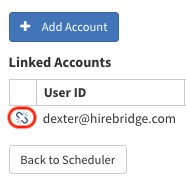
- Once you are connected your email account will be displayed under Linked Accounts.
Note for Microsoft Exchange Users:
Your company may have some restrictions set up that prevents us from being able to write to your calendar & see availability. Please visit the following link for troubleshooting this issue: https://hirebridge.zendesk.com/hc/en-us/articles/360018987791