This article will guide you on different Interview scheduling option.
- To activate this feature you will need to have Administration Control Panel access.
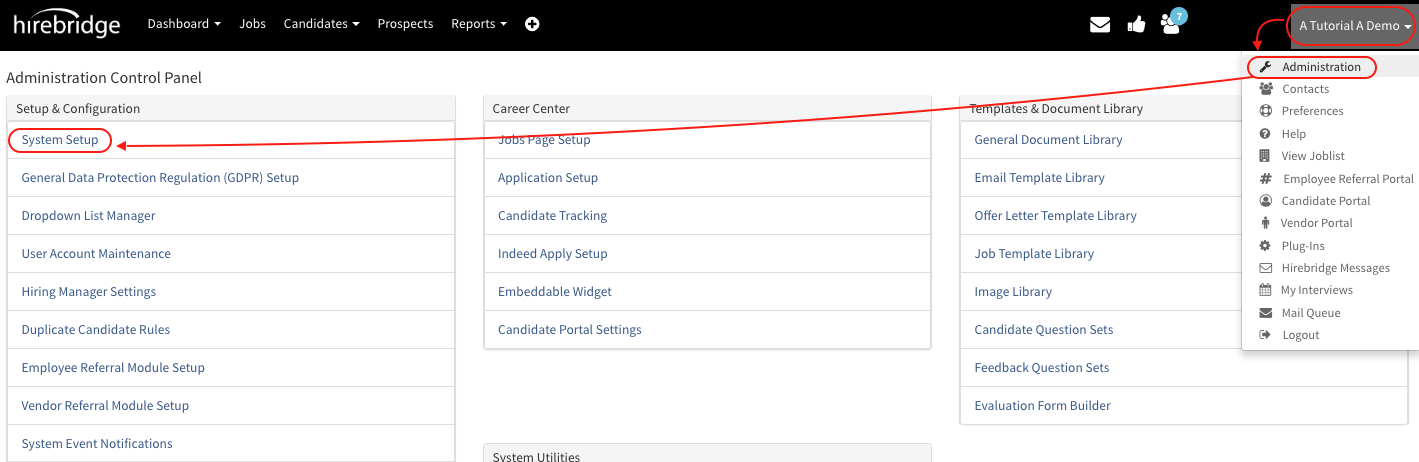
- Once you have access ton the administration control panel select your username in the top right corner then select Administration.
- On the Administration Control Panel select System Setup in the top left corner.
- In the Others tab select the checkbox next to "Enable Panel Interview Scheduler"
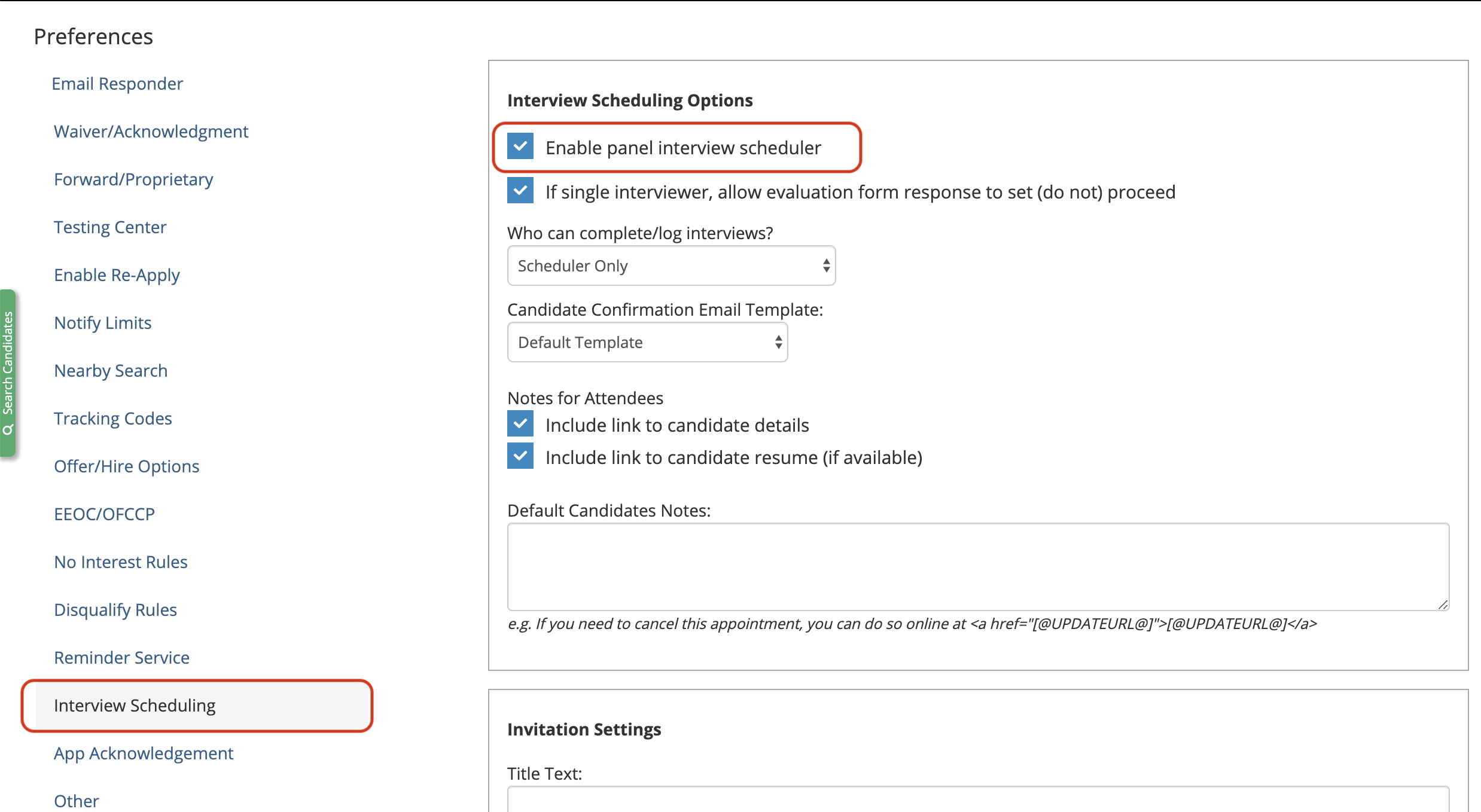
This will now activate the new Panel Interview Scheduler, unchecking this box will disable the panel interview scheduler.