This article will guide you on how to set up requisitions to automatically
reject/disqualify candidates using question sets.
(If the candidate does not meet or exceed the question set threshold the candidate will be automatically rejected/disqualified.)
The setup requires three steps:
- Turn on the Auto Reject-Disqualify feature.
- Candidate Question Sets need "Automatically 'No Interest' disqualified candidates" activated
- Requisition needs to have the candidate question set selected.
Activating the Auto Reject-Disqualify feature
- First to turn on the “Automatic - Reject / Disqualify” select your username in the top right corner
- Then select "Administration" and go to the "Setup & Configuration" column
- From the Setup & Configuration column select "System Setup
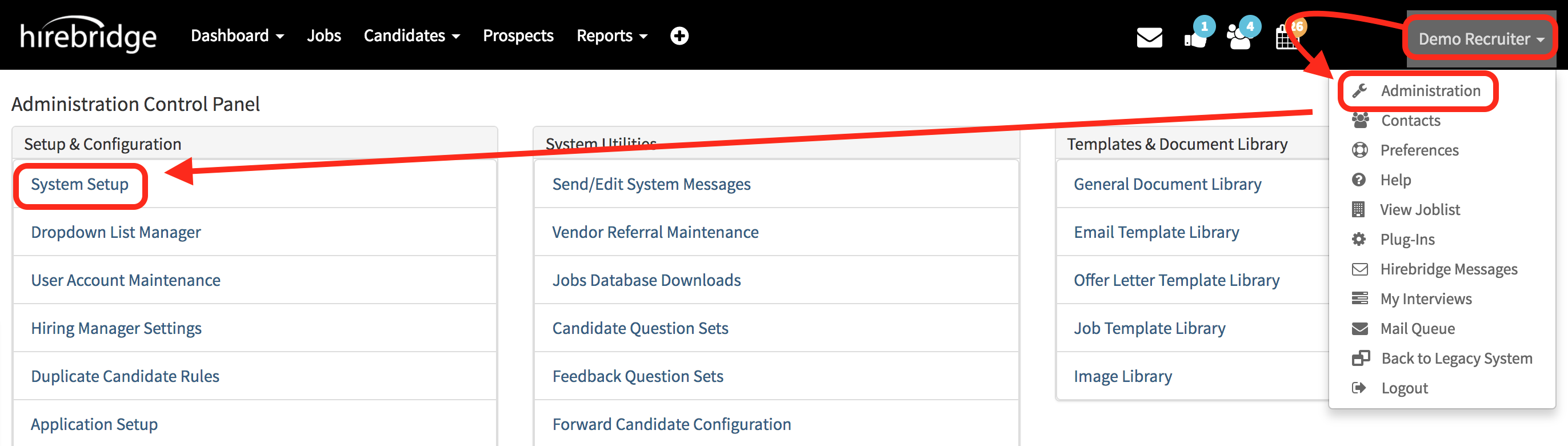
When you land on the "System Setup" page select the "Disqualify Rules" tab
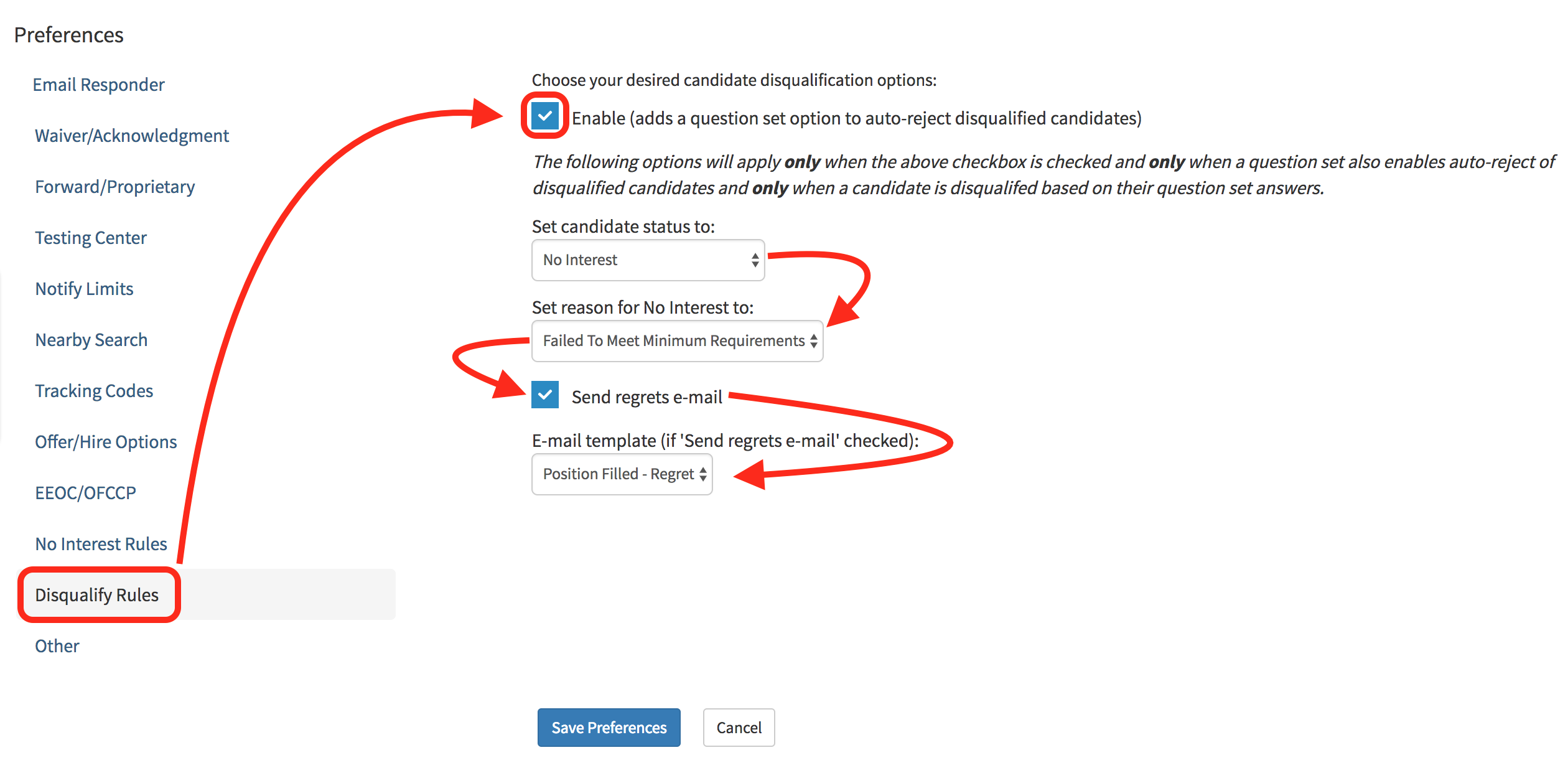
- Once on the Disqualify Rules tab check the first checkbox labeled "Enable" to activate Auto Reject-Disqualify feature.
- Next, select the Status you would like the disqualified candidate to be set to.
- Set the Reason for disqualification
- Check if you would like to "Send regrets e-mail" and choose from the drop-down the E-Mail template to send to the candidate.
- After activating the Auto Reject feature select the blue "Save Preferences" button at the bottom.
Activating Auto-Reject/Disqualify Question Set
In order to activate the "Automatically 'No interest' disqualified candidates" feature go into the candidate question set editor.
- On the "Candidate Question Set Editor" page check the checkbox outlined in the image below.
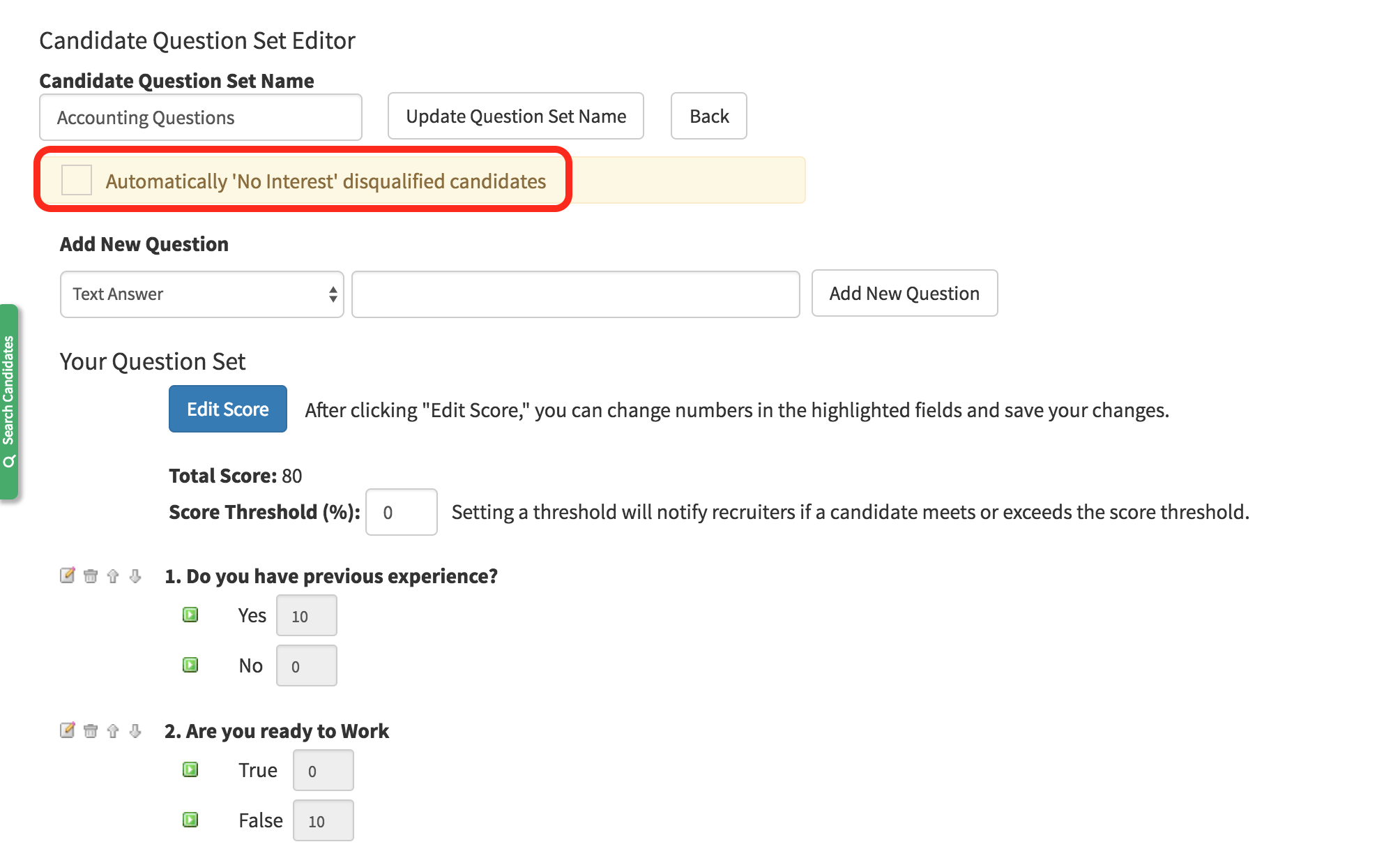
- After activating the feature in the question set, if the candidate does not meet or exceed the threshold the candidate will be automatically disqualified.
For more information on Candidate Question Sets select the link attached below
Candidate/Feedback Question Set - Add, Edit, & Delete
Selecting Activated Question Set in Requisition
The last step to having this feature running is to be sure that the requisition has
the auto - reject/disqualify question set selected.
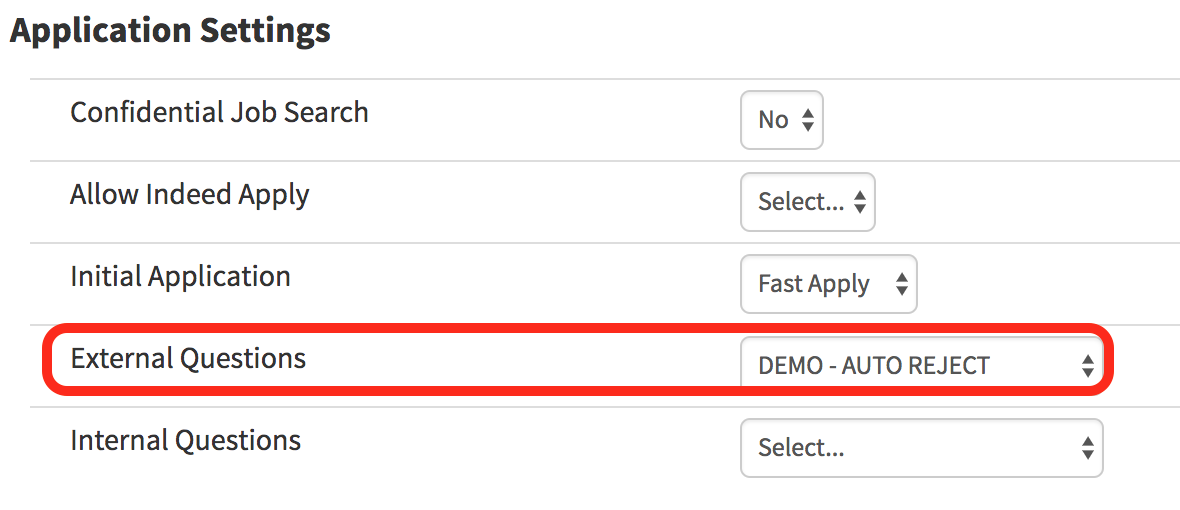
- In the requisition editor, scroll down to the Application Settings section.
- This section is where you will select the question set with the activated "Auto - Reject/Disqualify" feature.
- Select the question set that has the feature activated.
After going through all three steps, candidates applying to the requisition that are not qualified will no automatically be disqualified.