This article will cover how to delete a prospect.
(You can only delete Prospects you are attached to)
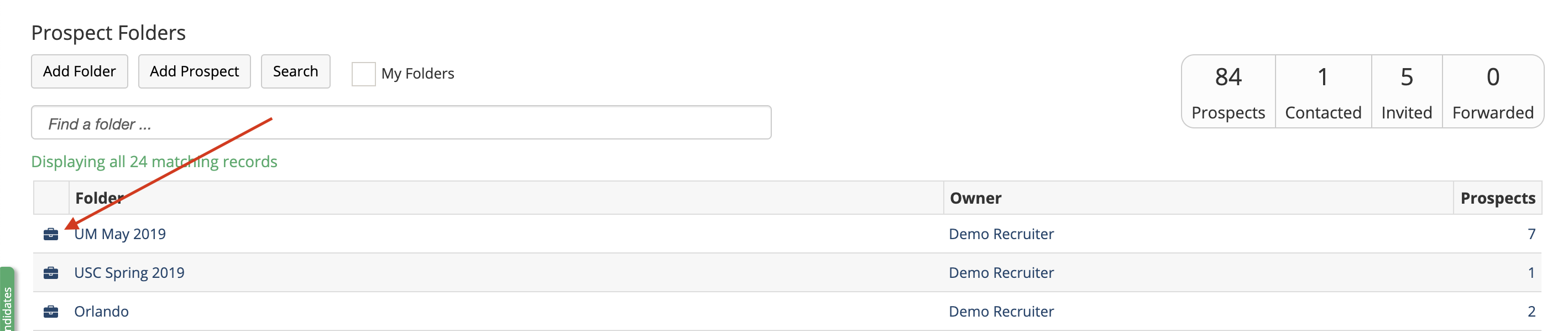
- Within Prospects, Select a folder by clicking on the Briefcase or the folder name. Once inside the folder select the prospect you would like to delete.
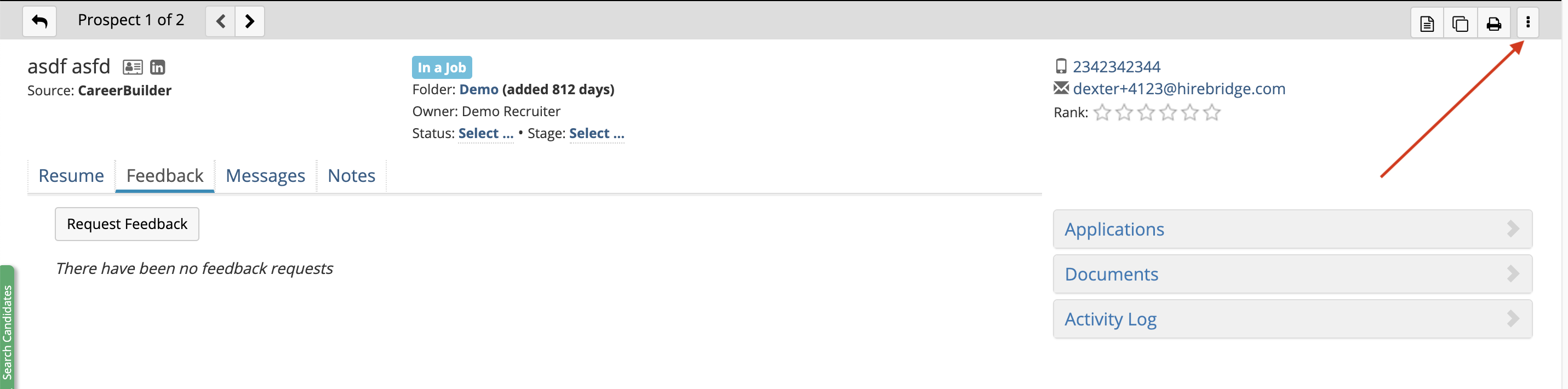
- Then click on the icon with three vertical dots

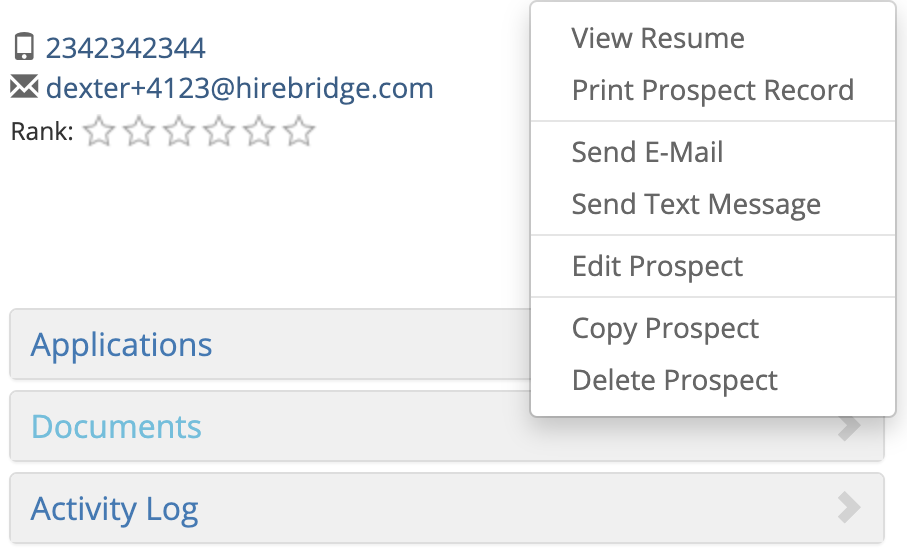
- Once you click on the drop-down it will provide you the following options illustrated below.
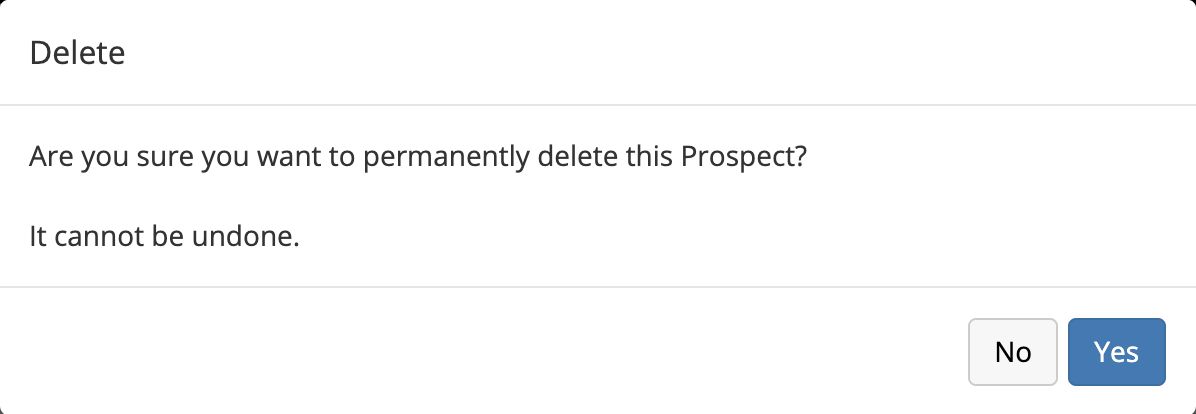
- After selecting Delete Prospect, a confirmation will appear and confirm if you would like to permanently delete this prospect.