To remove a candidate who has requested to be removed under GDPR rules, you will need to take the following steps:
Note: This permission level is set in the user account settings
- Navigate to the candidate record
- Access the GDPR panel on the right side of the candidate record
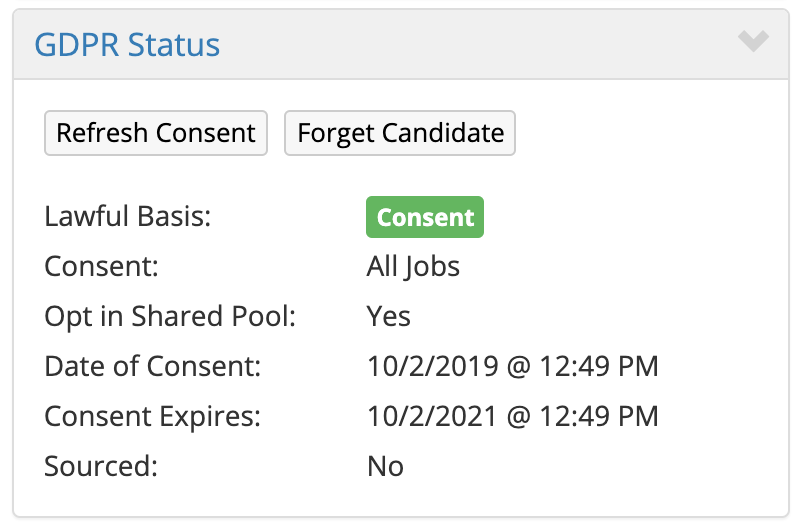
- Click the Forget Candidate button
- Confirm your selection
- Go to the REMOVAL REQUEST QUEUE in the Data Privacy Dashboard
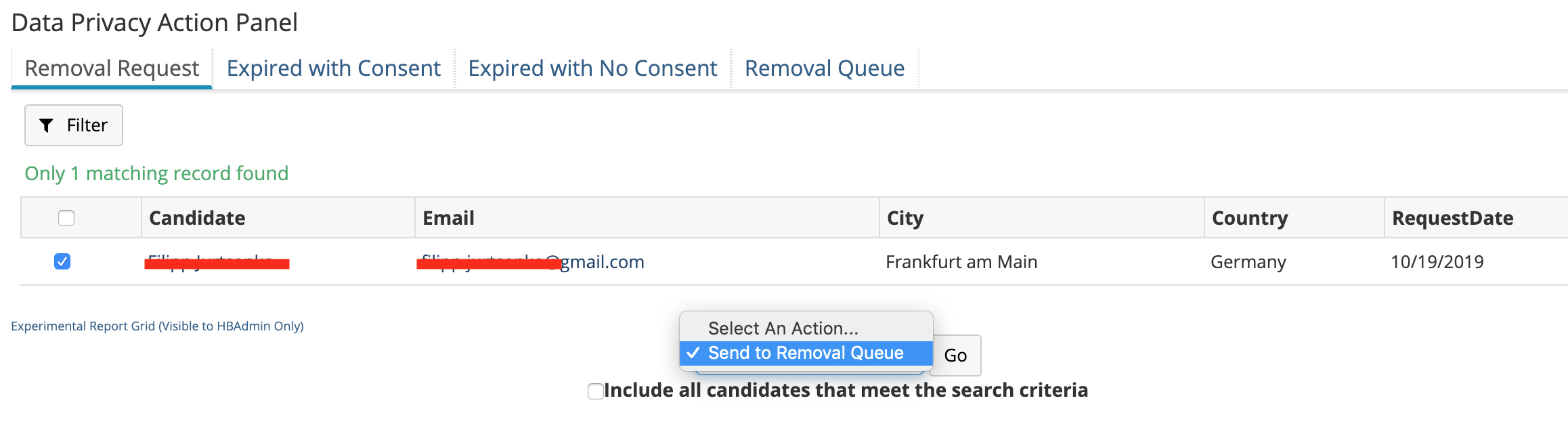
- Click the checkbox next to the candidate's name and select Send To Removal Queue in the dropdown
- Click Go
- The candidate data will be removed based on the date in the removal queue
What Data Is Removed
When a candidate requests deletion, all PII for that candidate will be removed, including all notes, contact information, names, email addresses, etc.
What Data Is Retained
The metrics and milestone related information will remain, but no identifying information about that particular candidate will remain.
Can Data Removed Via GDPR Removal Request Be Brought Back
No. Once a candidate has requested data removal, that data is totally deleted and cannot be brought back.
Can A Candidate Who Has Been Removed Be Added Back Into The Company Database
If a candidate deletes their own data you will not be able to source (add) them to your Hirebridge account as a candidate or a prospect in the future through any method normally available in Hirebridge.
This is to prevent you and your team from accidentally adding and contacting candidates who have directly and explicitly asked to have their data deleted.
Candidates who have previously withdrawn their applications or requested that their information be removed will be able to reapply to your jobs if they choose to, however, they will have to apply as a brand new candidate, providing consent prior to data processing.