For those companies who require additional information, from the new hire, we have the ONBOARD PROCESS which can be engaged from ADMINISTRATION - ADP SETUP
ADP ADMIN ONBOARD SETUP PAGE
- Does this require onboard - yes engages the onboard process
- go straight to ADP - no onboard
REQUIRE onboard sends email to candidate requesting return to BEGIN ONBOARD
Workflow for candidate onboard
- RECRUITER clicks HIRE CANDIDATE
- SYSTEM PERFORMS THE HIRE TASK. The candidate is hired internally in Hirebridge
- Hirebridge sends candidate email with link asking them to return to being the onboard process
- We log the send to candidate
- When candidate clicks the link, we log that
- When candidate FINISHES the form, a milestone ONBOARD COMPLETE BY CANDIDATE is engaged
- When ONBOARD COMPLETE milestone is set, we package information and send to ADP
ONBOARD PROCESS DATA COLLECTION
Candidates who are sent onboard request can be required to provide the following information
- Date Of Birth
- SS#
- Confirm Contact Information
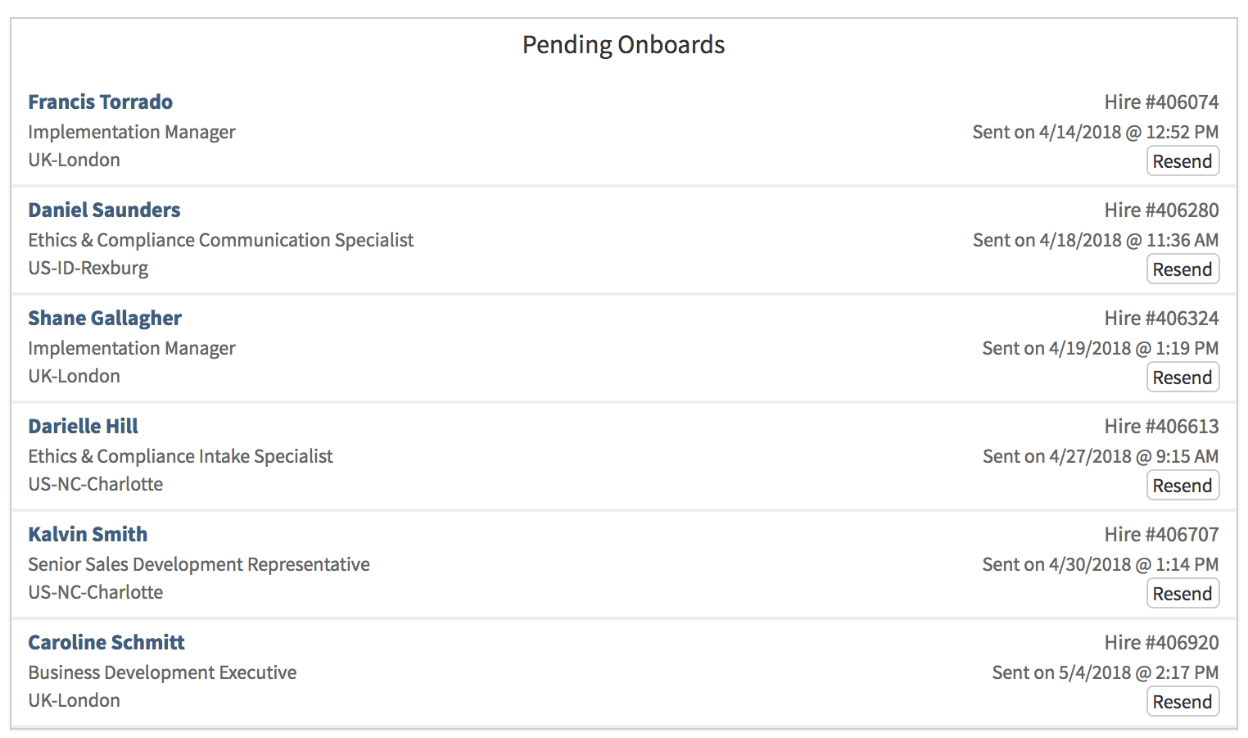
Dashboard View Of Pending Onboards
Once a candidate has been HIRED in Hirebridge and sent an onboard request, we will display those pending onboards on the COMPANY and MY DASHBOARD page (depending on permissions). This will show the candidate name, job, and when the onboard request was sent.
You can click RESEND to send an updated request to candidate if they have not responded. A Candidate who responds successfully to the request will drop from the view as they have already been sent into ADP.