This article will cover how to change the account password.
- The first step to changing the account password is to simply select your username on the top right corner.
- This will now open a drop-down menu which you will select Preferences.
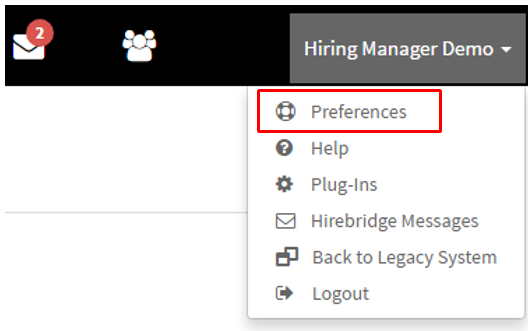
- After you have selected preferences
- It will now take you to the "User Preferences".
- This is where you will Select "Password" tab
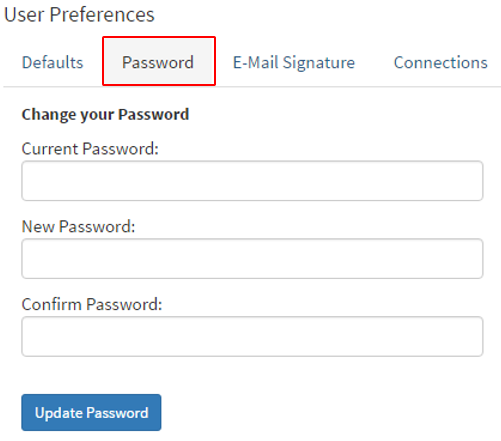
- Now you will have to enter the current password for the account in the "Current Password" text box.
- Once you have entered the password the next step is entering the new password.
- After you have entered the new password you will have to re-enter it and confirm.
- After you have finished select the blue "Update Password" button.