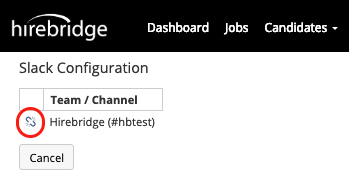
This article will allow you to setup your Slack account at a user level.
- To setup your slack account at a user level the first step is selecting your username in the top right corner.
- A dropdown list will appear where you will select Preferences.
- Once the User Preferences page loads select the Connections Tab.
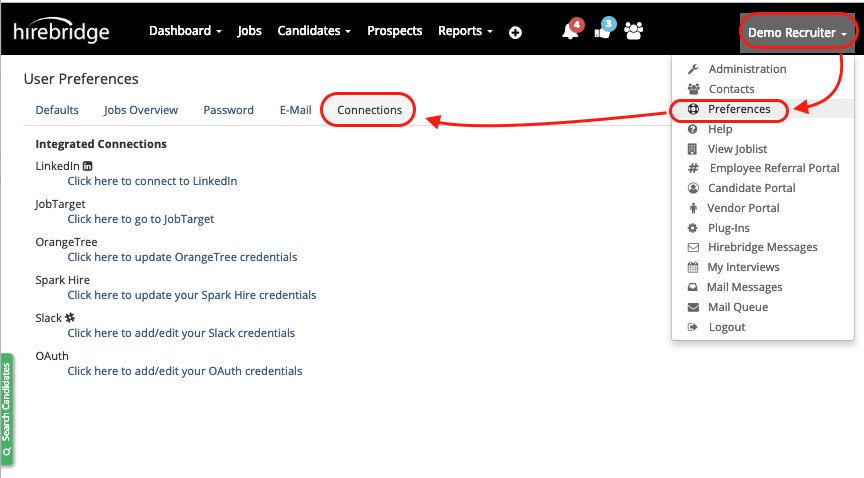
- From the connections tab you will then need to select Slack
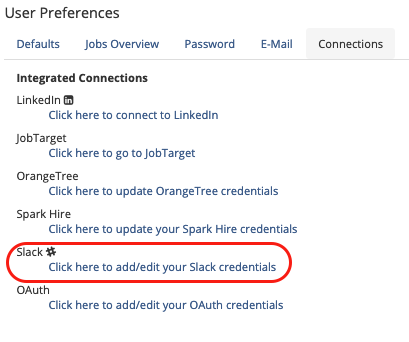
- The next page will take you to the Slack Configuration page.
- This page will display your slack account if you already have your credentials entered.
- If you do not have your slack credentials added select Add New
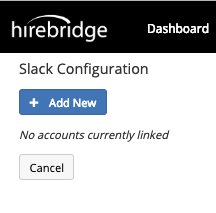
- The page will then ask to confirm your Slack Credentials and channel.
- After connecting your Hirebridge account with your Slack account, you will receive an email from Slack that your account has been connected.
- The page will then redirect and list your connected account along with the channel.
- To disconnect your Slack account select the broken link icon.