This article will give an overview of the requisition settings available with multiple openings. The requisition settings will give you the option to decrement the available positions or close the job or start a new job with the remaining positions, and move active candidates to the new job.
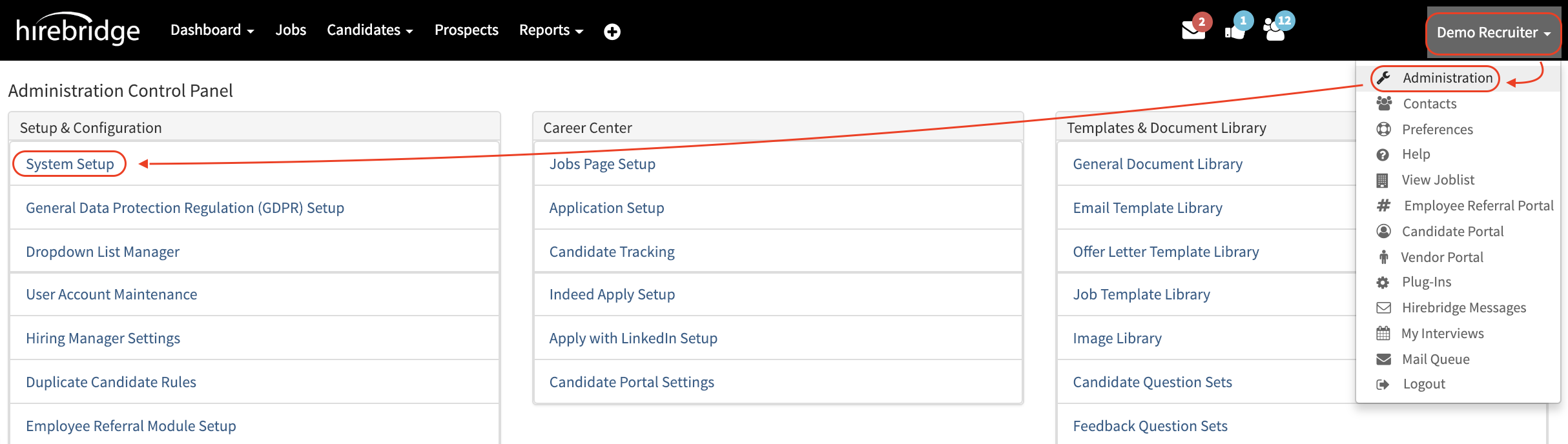
- To access these options go into Administration then System Setup.
- Next select Offer/Hire Options this tab will then show the Job Inventory section.
- In this section there is a drop-down list option that will give you three options for requisitions with a number of openings.
- (Do Nothing) Will do nothing if select
- (Decrement Only) decrement the available positions only and will close after all positions are filled
- (Start New Job Req) Close the job, start a new job with the remaining positions, and move active candidates to the new job.
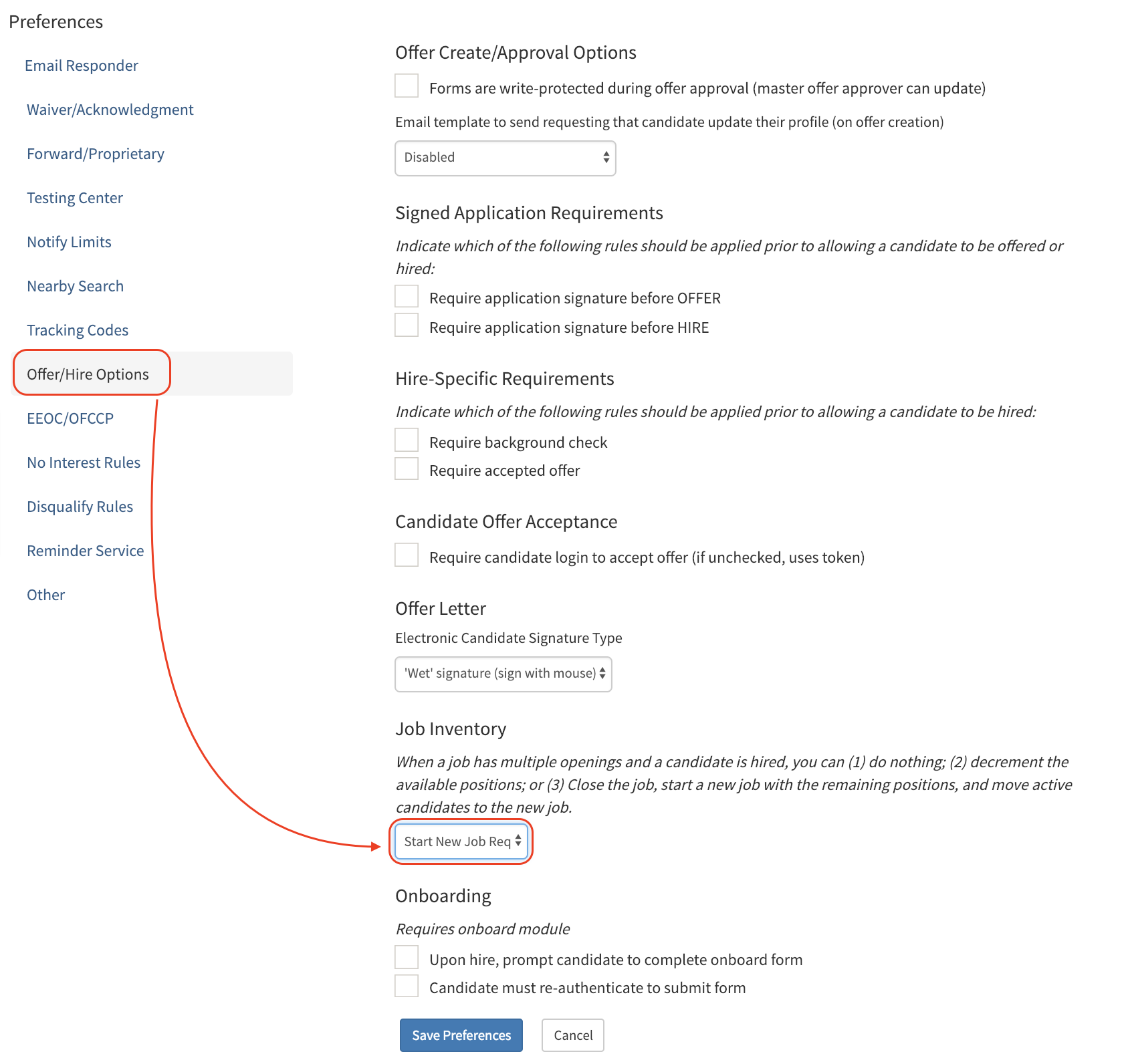
For this example we will select Start New Job Req
Once the setting is set select Save preferences.
The next step is to access the requisition editor page by either editing a current requisition or creating a new requisition.
- On the requisition editor page there is the section labeled # of Openings.
- This will allow you to create multiple openings within that requisition.
- If this is left empty it will not populate any openings.
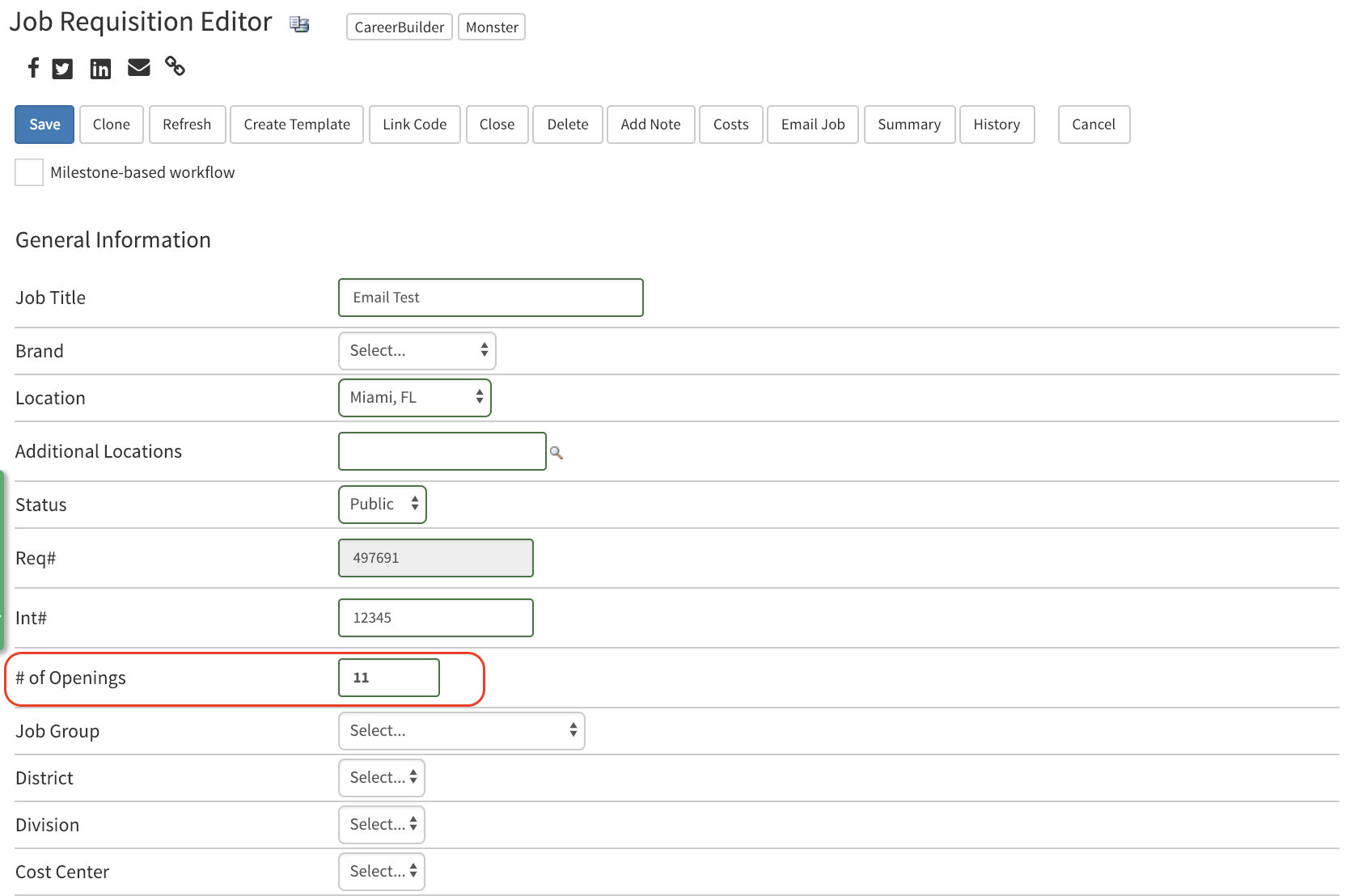
- Now that we have a requisition with 11 openings the next step is to Hire a candidate within that requisition.
- Please note the requisition number and the number of openings.
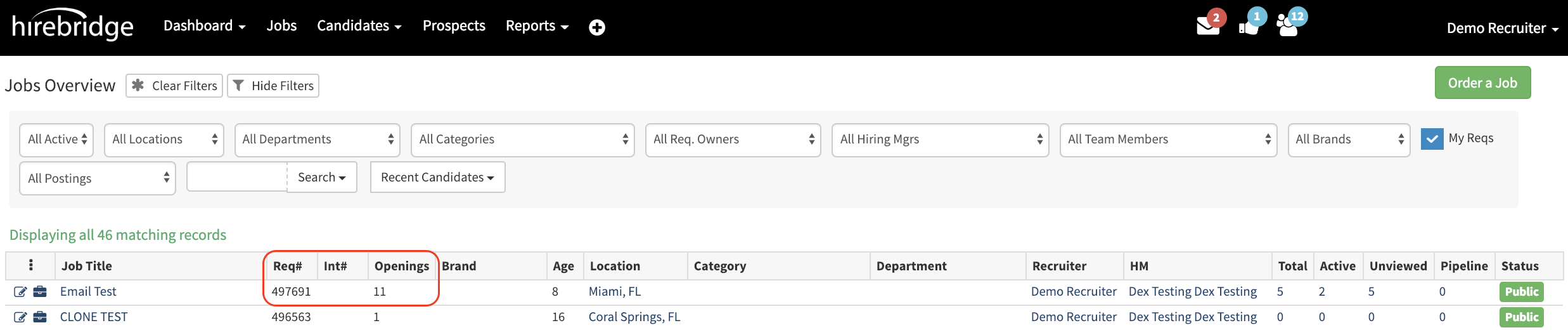
Since the setting is to Start a New Job Req the hired candidate will be hired in that specific requisition. The remaining candidates will be moved into a new cloned requisition.
If you were to select Decrement Only, openings will be decremented until all positions are filled. The requisition will then be closed with multiple hired candidates within that requisition.
- Once a candidate is hired within that requisition with multiple openings a new requisition is created and the available openings will decrease.
Below is a screenshot of the new requisition with the new Req# along with the openings down to 10 since a hire has been made.
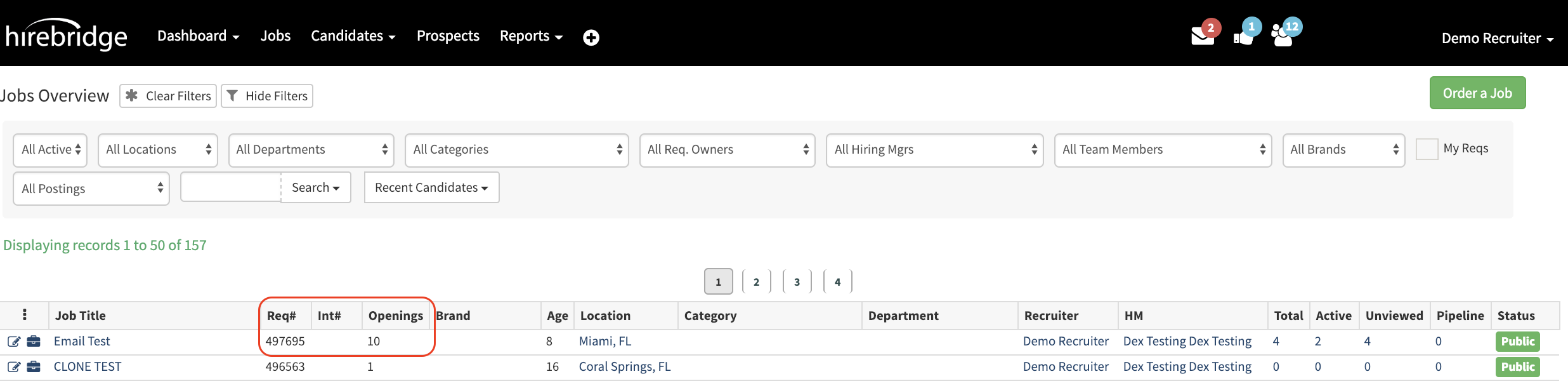
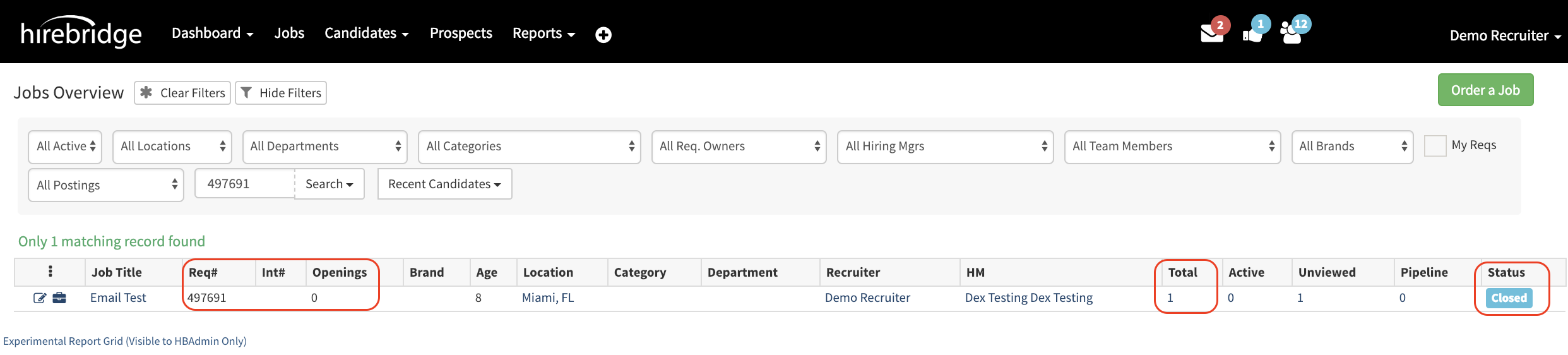
To verify that the setting is working we can search for the previous requisition number. From this we can see that it is currently closed with no openings and if we were to view the candidate list it will display one hire.