This article will show you how to change your interviewer preferences.
This feature will benefit coordinators or other individuals who will have access to Hirebridge for schedule events. This will give you the option to automatically include the scheduler as part of the interviewing team.
- To access this feature selecting the username in the top right corner.
- From the drop-down list select Preferences
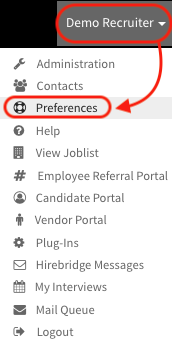
- This will take you to the user preferences page.
- On this page you will need to select the Defaults tab.
- This tab will give you to select all of you account default settings.
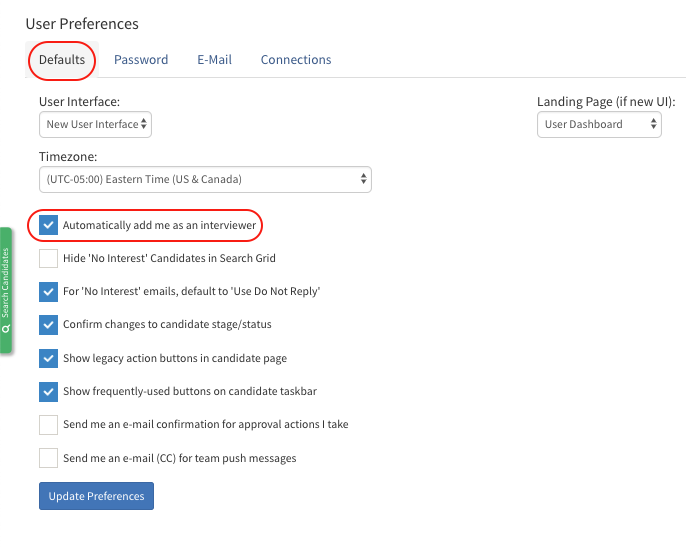
- Checking Automatically add me as an interviewer will always attach your as an interviewer when scheduling an interview.
- Unchecking this box will not automatically attach you as an interviewer.
Video Tutorial