This article will guide you on how to add/edit Evaluation Form Guidelines.
When sending candidate evaluation forms you are able to include guidelines to the questions.
- To add/edit these guidelines select your username in the top right corner.
- A drop-down list will open where you will need to select Administration, which will load the Administration Control Panel.
- Once on the Administration Control Panel select Dropdown List Manager.
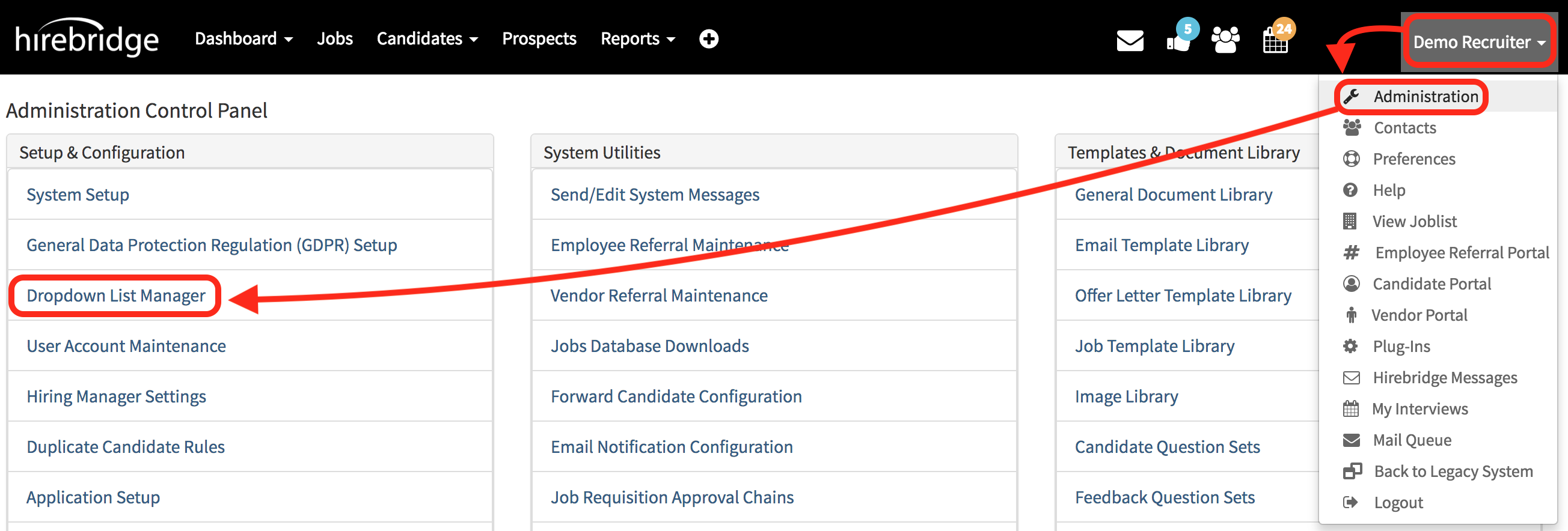
- This will take you to the Dropdown List Manager page.
- Next, you will need to select Evaluation Form Guidelines under candidate lists.
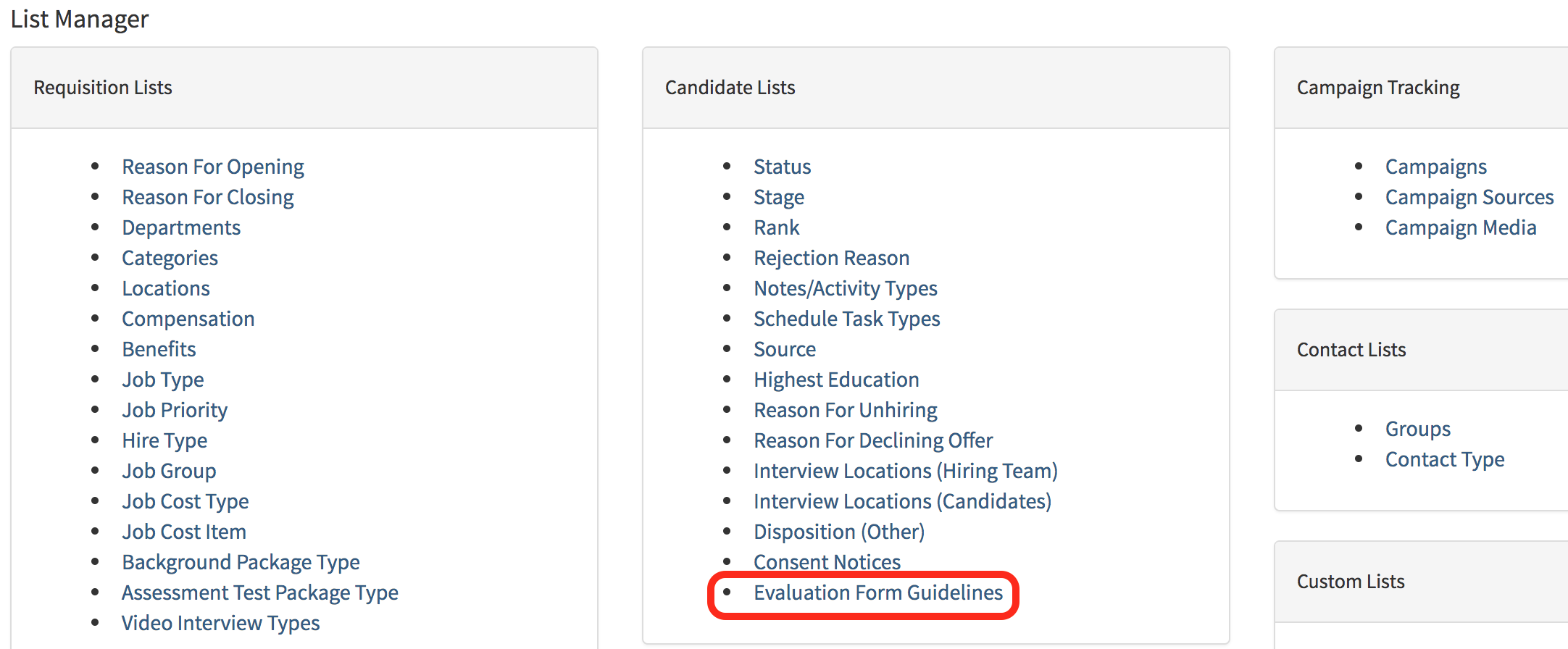
- This page will allow you to add, edit, import and download the list of Evaluation Guidelines.
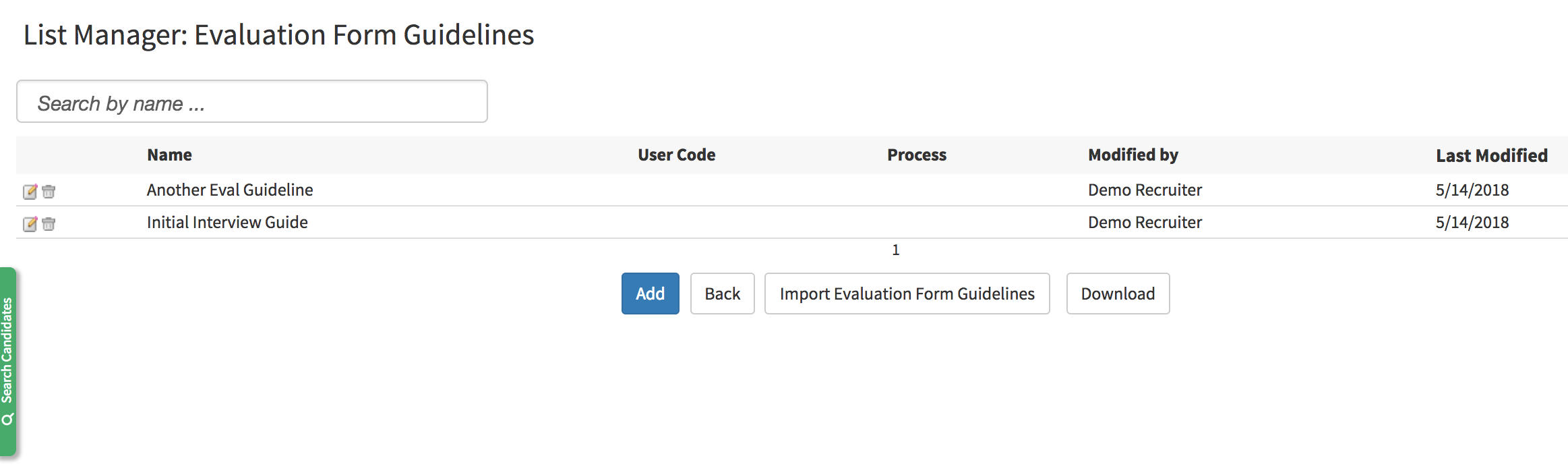
 |
- Edits the Evaluation Guidelines |
 |
- Deleted the Evaluation Guidelines |
 |
- Adds a new Evaluation Guidelines |
 |
- Goes back to the previous page |
 |
- Allows you to import Evaluation Guidelines via CSV |
 |
- Downloads the current list of Guidelines via CSV |
- For this example, we will Add a guideline which will take you to the guideline editor page.
- Form Name will be the title of the guideline.
- The Policy Text will be where the guideline for the evaluation will be entered.
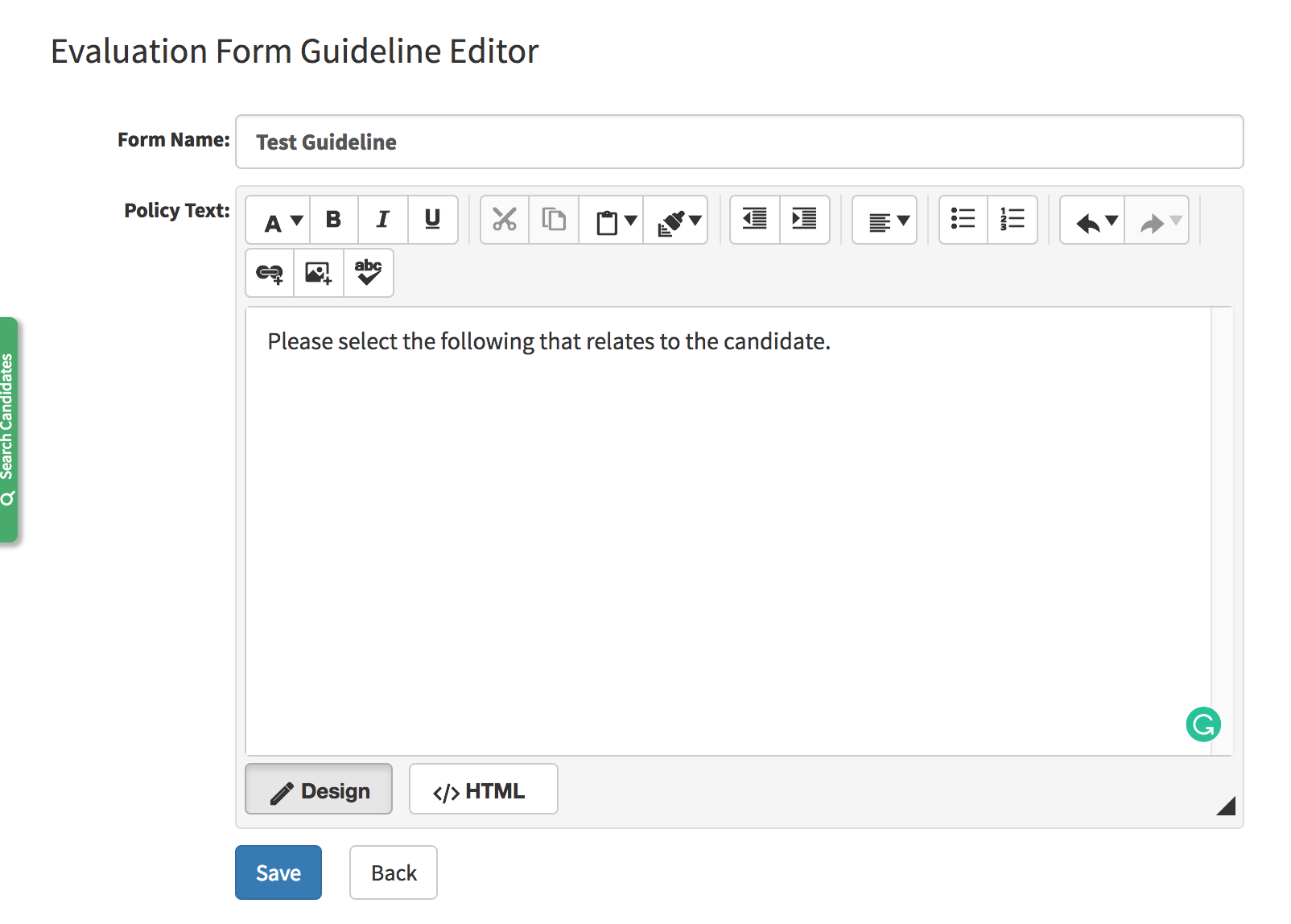
- Once entered select Save at the bottom of the page.
- The guideline will now be available in the list of guidelines when evaluating a candidate.