This article will guide you on how to add a contact to the Hirebridge system.
Contacts will not have access to the Hirebridge system but will be available to receive feedbacks, offer approvals, and forwarded candidates.
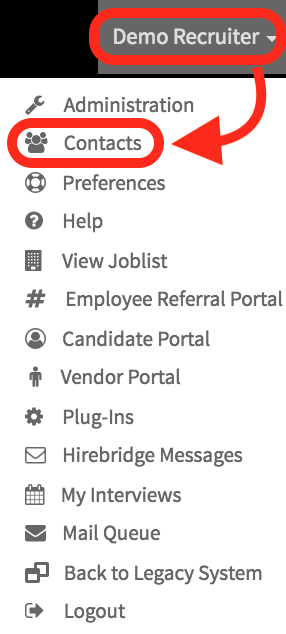
- The first step in creating a new contact is to select your Username in the top right corner.
- A dropdown list menu will appear where you need to select Contacts.
- This page will allow you to Send emails to contacts, add contacts download and import contacts.
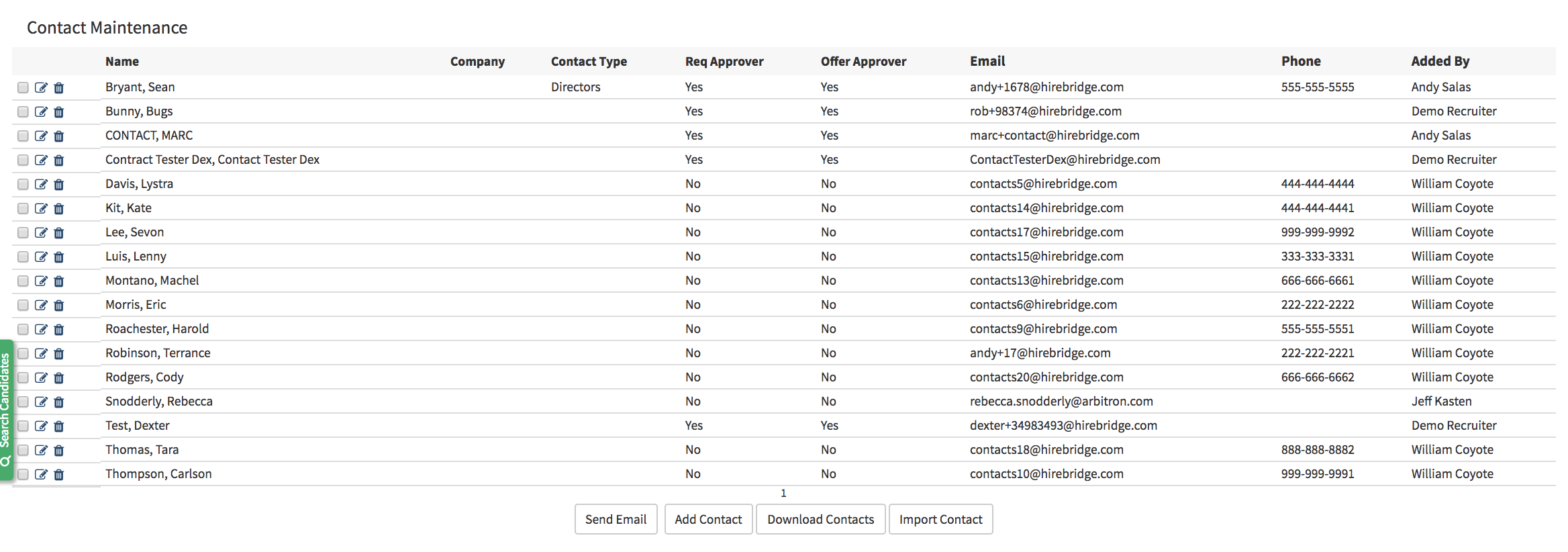
Send Email - Allows you to send emails to the selected contacts
Add Contact - Allows you to add a contact into the Hirebridge system
Download Contacts - Allows you to download the whole contact list
Import Contact - Enables you to import contacts via CSV
- To add a contact select Add Contact located at the bottom of the page.
- This will take you to the contact editor page where you can add a contact
- Checking the box in the Approver section will also allow the contact to be requisition and offer approver.
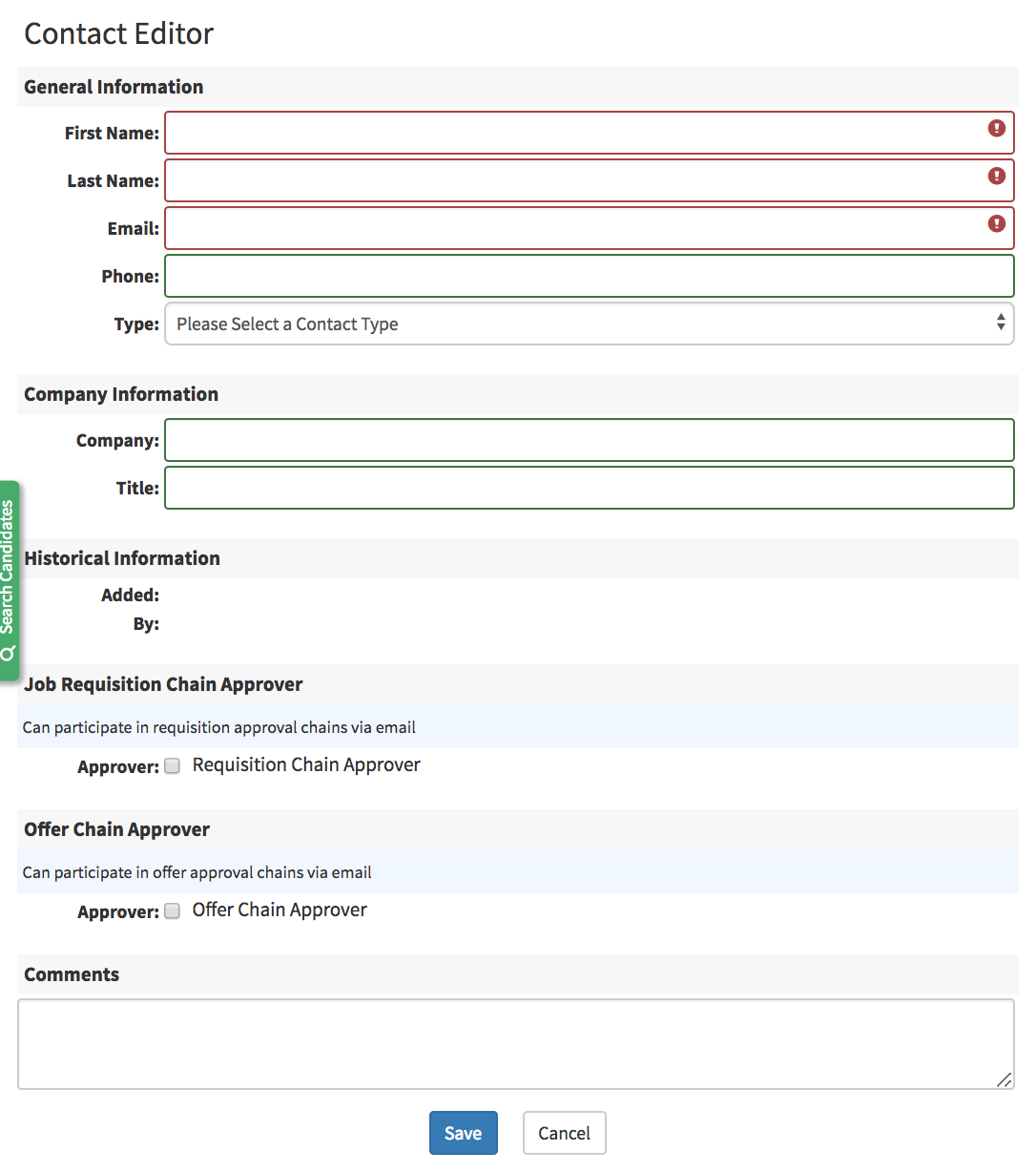
- Populate the required fields then select Save at the bottom of the screen.