This article will guide you on how to activate & configure the email server for each individual user.
Note: In order for this feature to work it must be activated via the Administration > Domain Management area. If you do not see the email setting available in your Preferences area, please contact your company's Hirebridge Administrator.
To configure the system to send messages through your email account, follow these steps:
- Select your Username in the top right corner then select Preferences.
- Once on the User Preferences page, select the E-Mail tab.
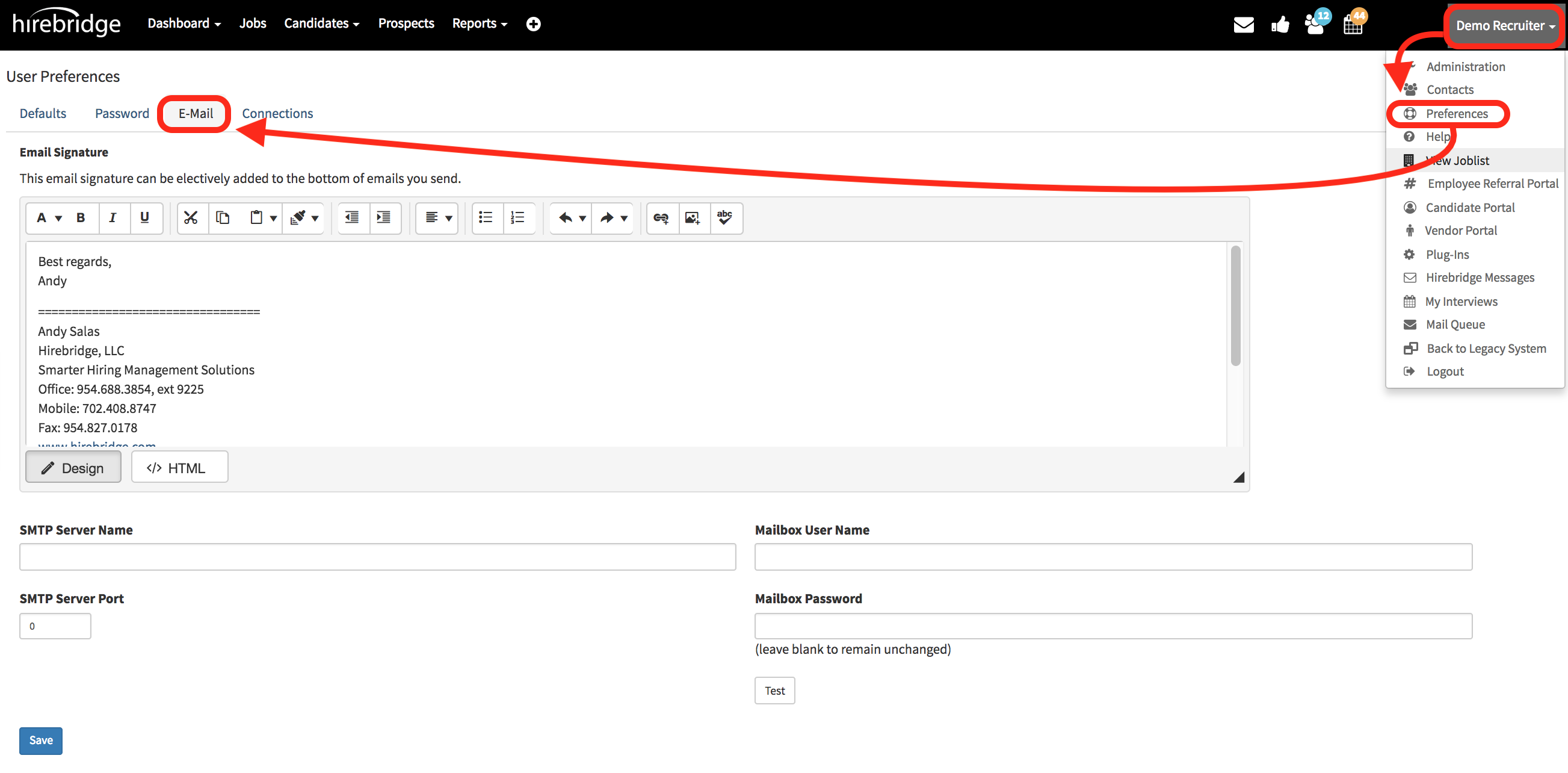
Note: If you do not see the email setting available in your Preferences area, please contact your company's Hirebridge Administrator so they can activate it for you.
- At the bottom of this tab is where the user will enter the preferred email server information.
- SMTP Server Name is where you will set up the desired server name
- Gmail / G-Suite / Google Apps users - Click here for additional details
Gmail / G-Suite / Google Apps users - You may need to enable the Allow less secure apps option, so please visit the following link for details: https://support.google.com/accounts/answer/6010255
- Gmail / G-Suite / Google Apps users - Click here for additional details
- SMTP Server Port is the section where you will enter the port number.
- Gmail / G-Suite / Google Apps users - Click here for additional details
- Gmail / G-Suite / Google Apps users - You may need to enable the Allow less secure apps option, so please visit the following link for details: https://support.google.com/accounts/answer/6010255
- Mailbox User Name This section you will need to enter the mailbox username
- Mailbox Password In this text box you will also need to enter the mailbox password.
The Test button will disappear when you begin typing in your password. When you’re done, click the Save button on the bottom left side of the page.
Once the page re-loads, scroll down and click the Test button, then wait for the system to provide you with a message (may take 30-60 seconds) as to whether or not everything is set up properly.