This article will cover how to setup TazWorks background screening.
- First, we need to access the background screening setup page.
- Select your username in the top right corner to open the drop-down menu.
- From the drop-down menu select the "Administration" link.
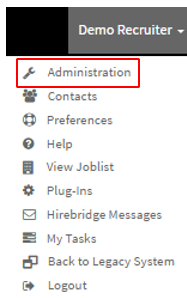
- This link will now take you to the "Administration Control Panel".
- On this page in the "Setup & Configuration" column you will see your integrated background screening company.
- In this example, this company uses First Choice as their background screening company "TazWorks Web Service Account Maintenance".
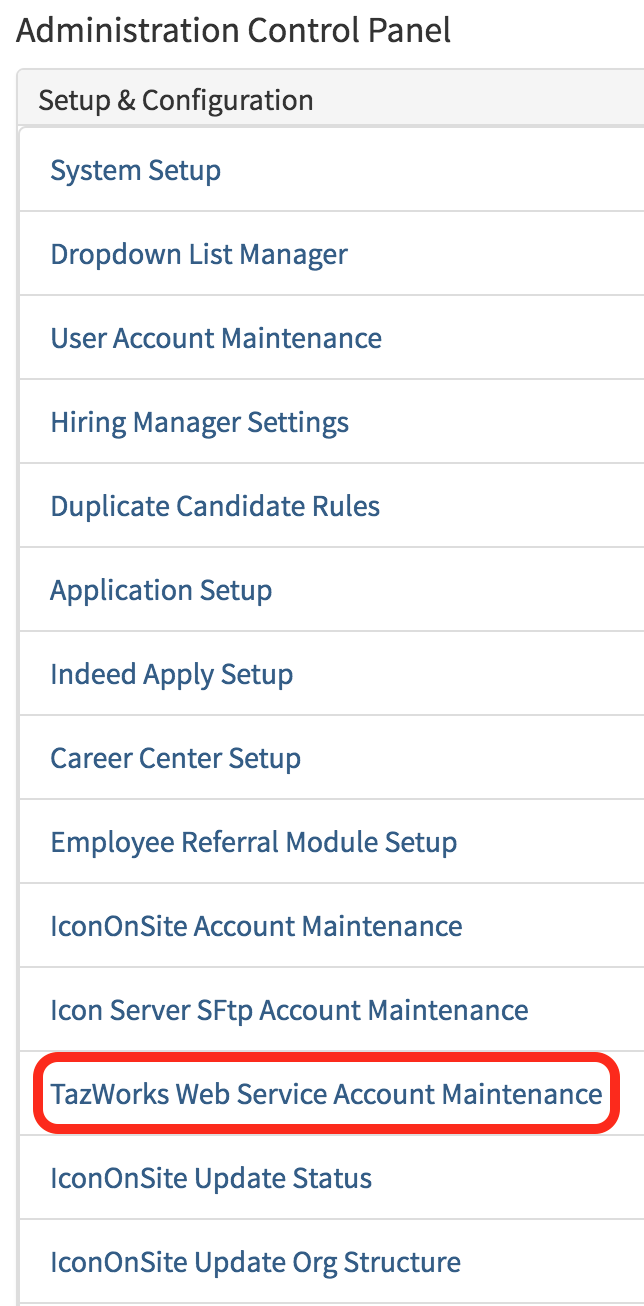
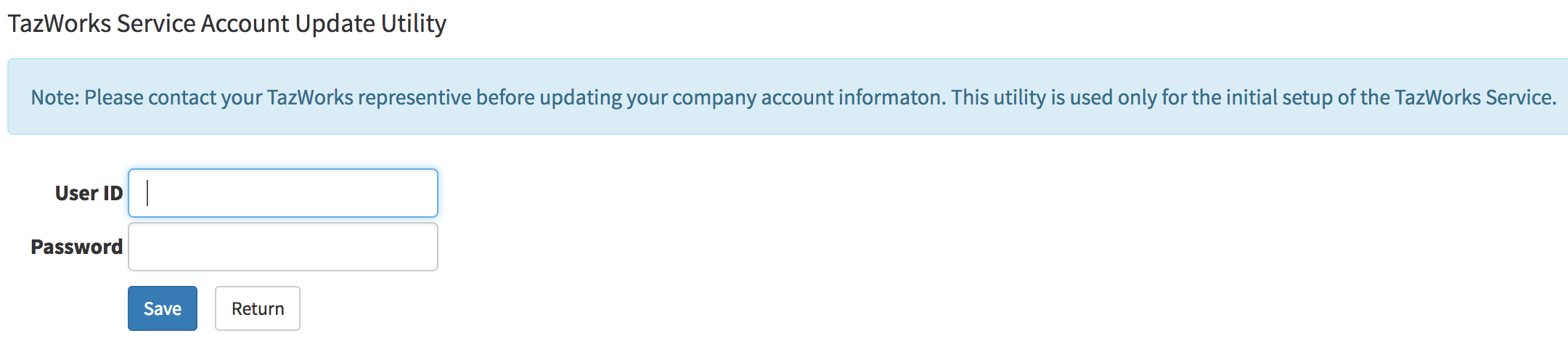
- Selecting the background check setup will now take you to the "TazWorks Web Service Account Maintenance" page.
- On this page in the text box next to User ID is where you will enter the company background screening company ID.
- The Password text box is where you will need to place the password provided to you by TazWorks.
Once the background screening has been set up.
You can now include the background screening into each requisition.
- Requisitions that were created before the background screening integration can be added to include the background screening.
- To add background screening into a job, go to the requisition editor page.
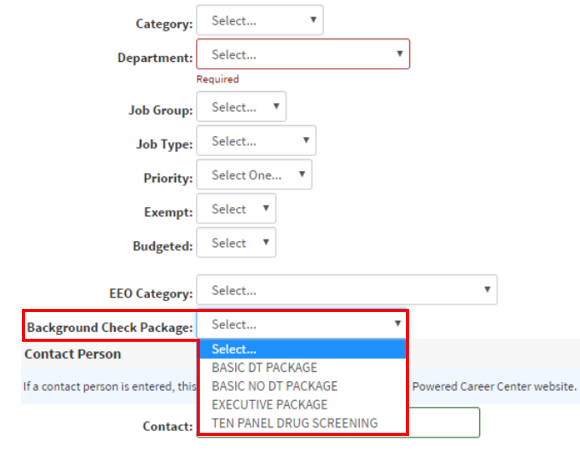
- In each requisition, there will be a Background Check Package section.
- This section will allow you to choose the type of background screening package for the requisition.
After creating a requisition with background screening integrated.
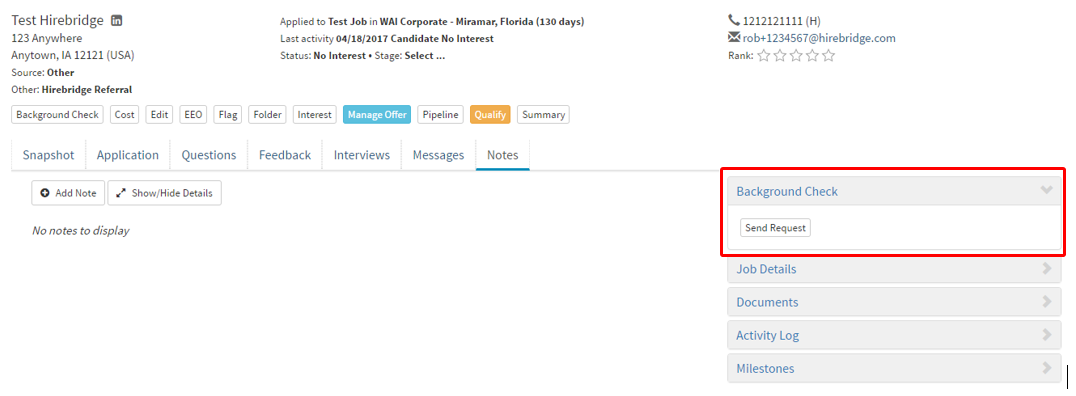
- To check if it has integrated properly go into a candidate profile
- The Background Check tab will appear with the option to send a background screening request.
(Outlined on the right side of the candidate profile)
Note: Make sure you have the Background screening enabled in the User Account Editor.
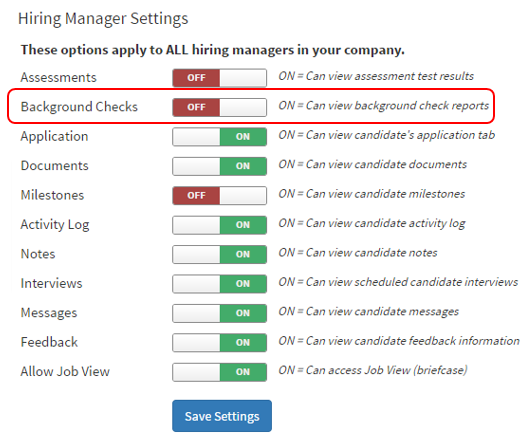
Hiring Manager's need this enabled as well to be able to VIEW the Background check.
(Outlined in red below is the User Account Editor, which can be found in the Administration Control Panel -> User Account Maintenance.)
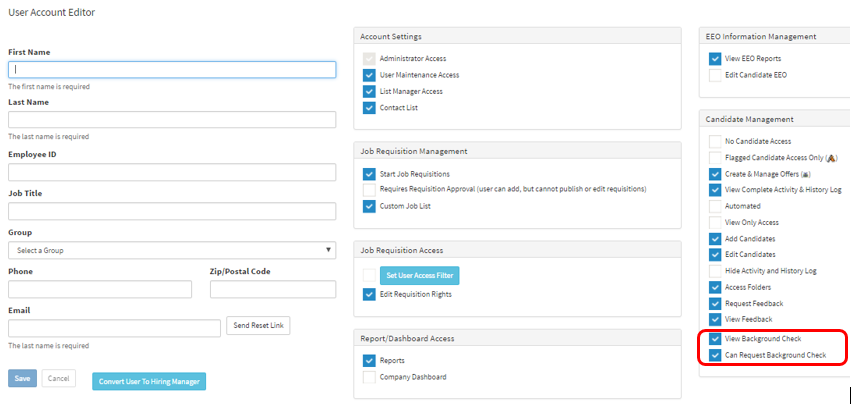
(Below is the Hiring Manager Settings located in the Administration Control Panel.)