Company Career Center Integration
Hirebridge offers 4 levels of company career center integration
Hosted
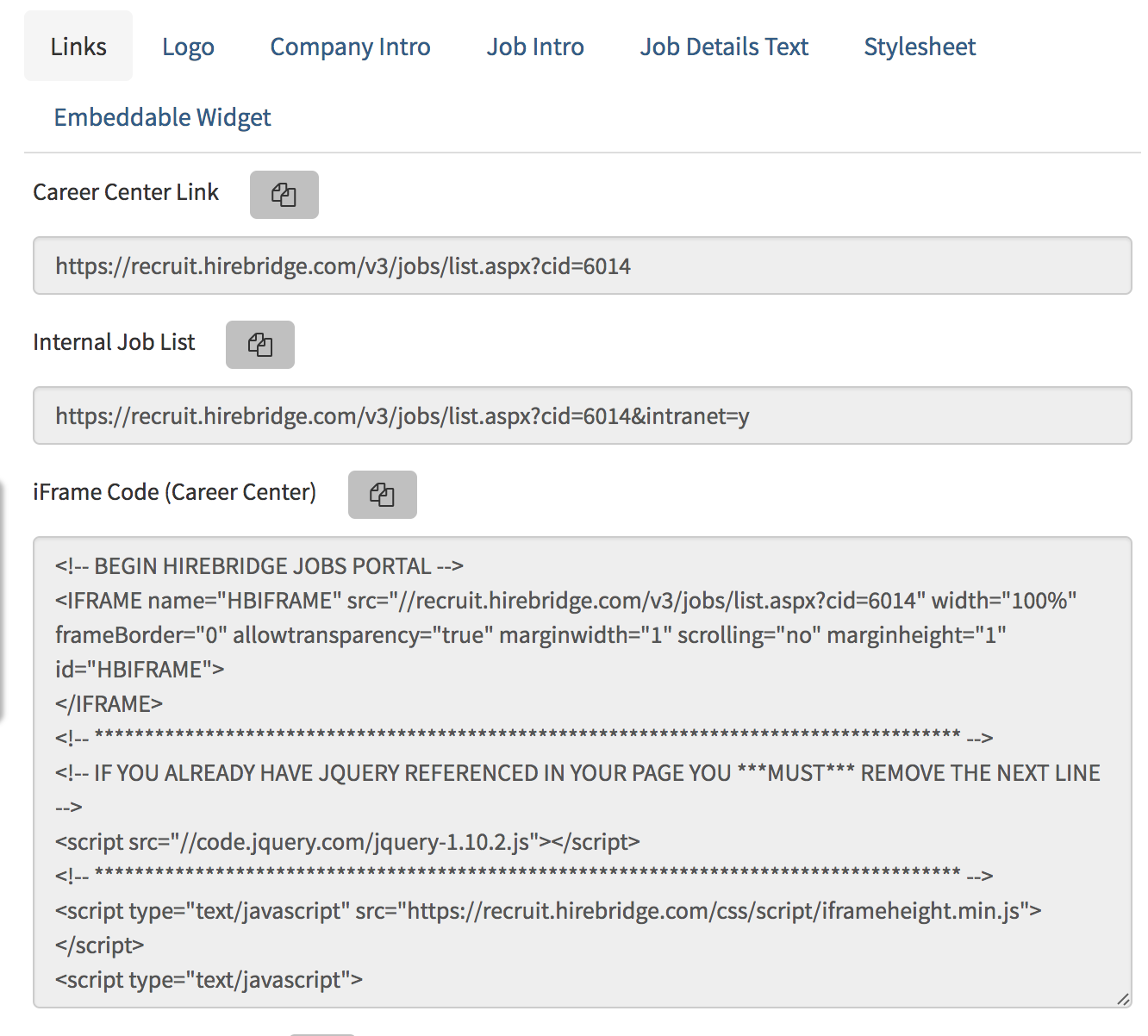
- How this works - your website developer or marketing team places a URL link to your Hirebridge hosted career center: An example of the link is: https://recruit.hirebridge.com/v3/jobs/list.aspx?cid=6014
- Certain changes and updates to the layout and display can be managed through Hirebridge Administration
- Items that can be customized include:
- standard layout controlled via Company Admin
- logo for career pages
- logo for apply
- job grouping by location, department, category
- search by location, department, category, city, state
IFRAME
- Your webmaster/website developer or marketing team places HTML code directly into a page your company's website
- Since this page will reside within an iFrame on your existing corporate or organization's website, there is no need for a logo or other branding
- Certain changes and updates to the layout and display can be managed through Hirebridge Administration
- Items that can be customized include:
- logo for career pages (when visited by job boards)
- logo for apply
- job grouping by location, department, category
- search by location, department, category, city, state
- The IFRAME code can be accessed directly via the company's Administration > Career Center > Jobs Page Setup area.
API/XML - requires custom development by your own web/it team
- Requires custom development by your own company engineers or development team, but provides you with full control over the job listing, search and job details page displays
- Your engineers build based on fields we provide in our jobs api
- Interaction with Hirebridge begins at the time of apply
- Data is available in the following formats (click each for sample layout): RSS, XML, JSON
**Issues Related To Page View Tracking - when companies create their own job feed, the Hirebridge career pages are not being served, so tracking must happen on the company custom pages. Hirebridge career center page tracking will not be accurate and will be incomplete, as the pages are not in fact being served up by Hirebridge, except in the cases where candidates are visiting via JOB BOARD feeds which bring candidates to the Hirebridge served up pages.
Embeddable Widget
- Works off of the Hirebridge API/Feed
- Can be setup directly from Administration / Career Center Setup / Embeddable Widget
- Can create and host your own CSS
- Requires custom development from your team to extend the widget
- Can create custom landing pages for Locations, Groups, Departments, Categories
**Issues Related To Page View Tracking - when companies use the Embeddable Widget,, the Hirebridge career pages are not being served from Hirebridge, so tracking must happen on the company custom pages. Hirebridge career center page tracking will not be accurate and will be incomplete, as the pages are not in fact being served up by Hirebridge, except in the cases where candidates are visiting via JOB BOARD feeds which bring candidates to the Hirebridge served up pages.
Integrating the IFRAME
Integrating the iframe into your company career page is as easy as dropping in a single code statement, which we provide to you on the
Customizing your Hirebridge Career Center Pages
Hirebridge uses Bootstrap to style career sites. Most of the elements of your JOBLIST and JOB DETAILS pages can be controlled by changing the CSS properties.
Bootstrap is the most popular HTML, CSS, and JavaScript framework for developing responsive, mobile-first web sites, so most web-designers and developers will be able to easily make changes using the Custom Stylesheet option located in ADMINISTRATION > CAREER SITE SETUP.
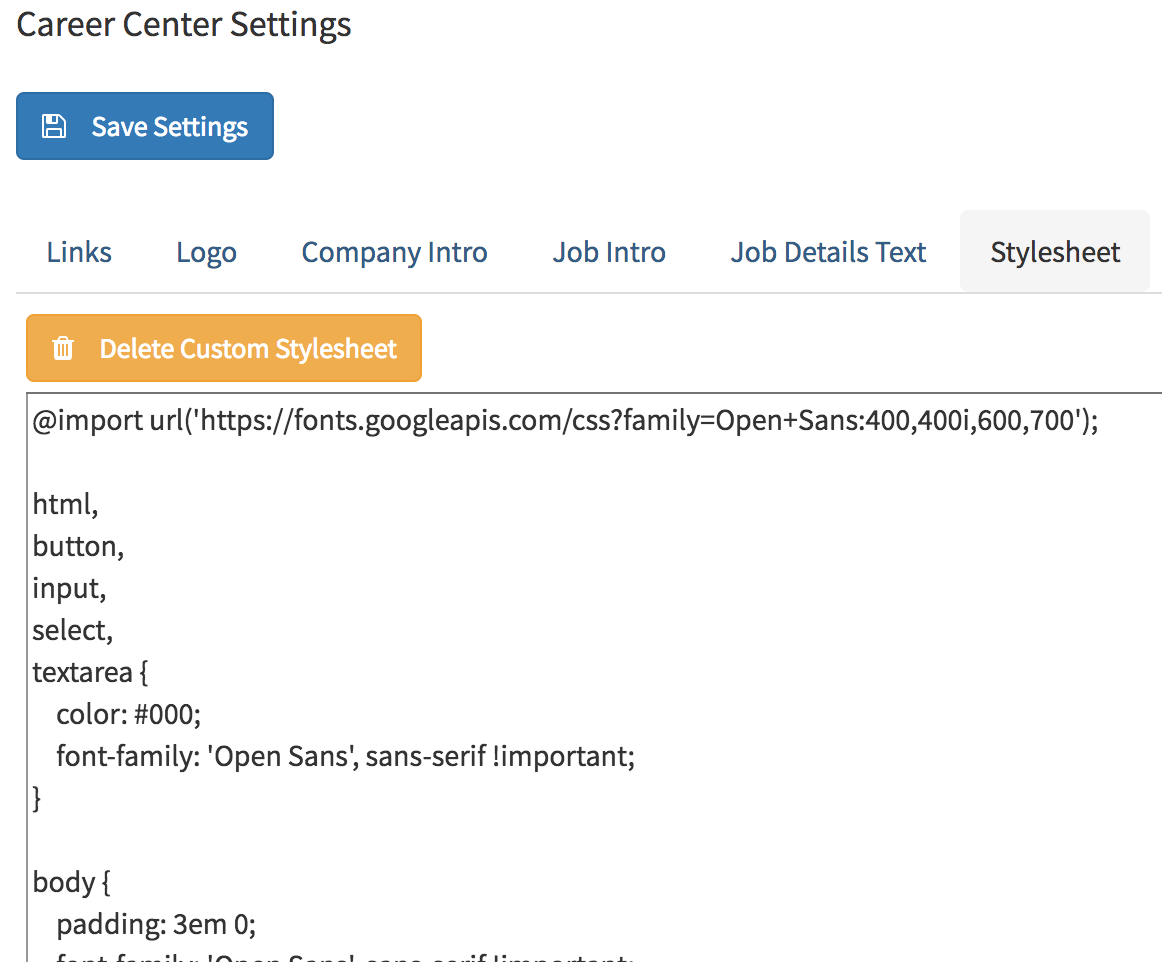
To update the CSS, navigate to the ADMINISTRATION > CAREER CENTER section, and then select JOBS PAGE SETUP.
You will need to click the EDIT CUSTOM STYLESHEET checkbox to activate the Custom Style Sheet.
Once you do that, make your CSS changes and click SAVE
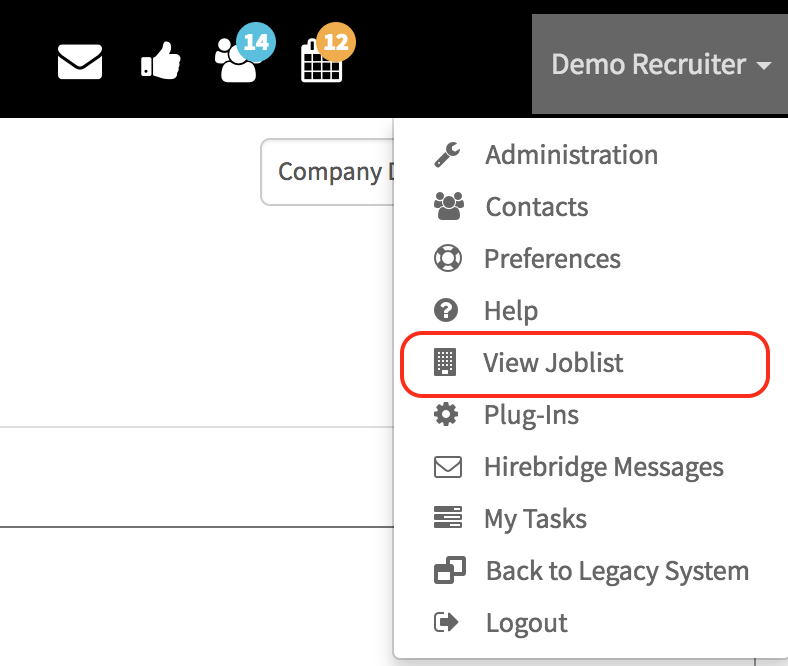
You can check your changes in real-time by clicking the View Joblist button from the dropdown menu at the top right of Hirebridge
Editing the Stylesheet
The default Hirebridge Careers pages were designed using BOOTSTRAP. There are great Bootstrap resources which give you examples of Font properties, Button properties, Typography, etc.
The resources below are great starting points for tips on styling bootstrap pages using CSS. We recommend you start with these resources.
NOTE: Your Hirebridge representative will be happy to assist you in changing any CSS styles and helping you with Career Center setup (which we always do as part of the initial setup process)
The Default Career Center CSS can always be brought back by clicking on the orange DELETE CUSTOM STYLESHEET.