This article will cover how to request the candidate to update information.
- To request a candidate to update their information you would first need to be in a candidate profile.
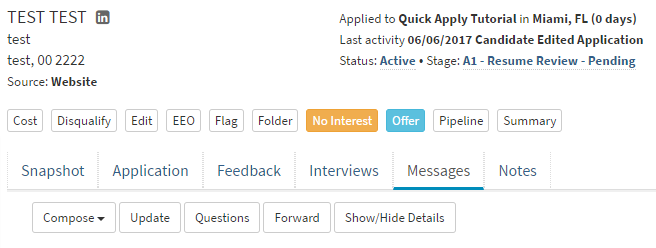
- Once in a candidate profile select the "Messages" tab at the bottom.

- This will open the message options where you will select the "Update".

- A pop-up will now appear which will load the "Request Information from Candidate" form.
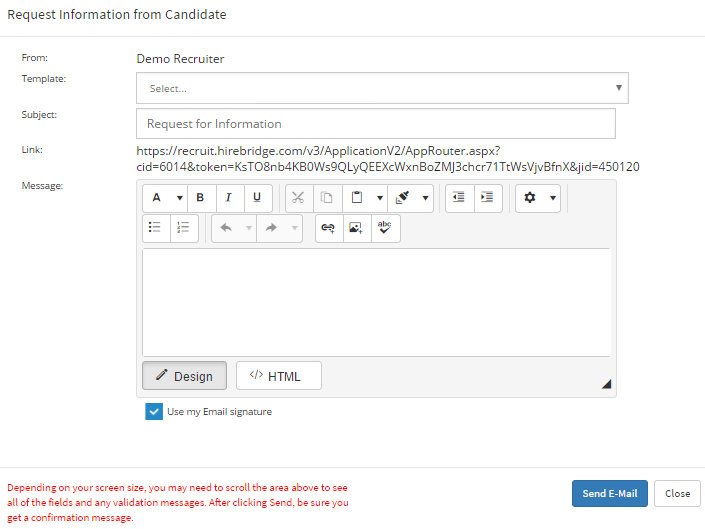
- You can then select from the E-mail template you would like to send to the candidate or create a custom message for the candidate.
- A link is also included in the email that is will be sent out to the candidate.
Below is a sample image of the email a candidate will receive.
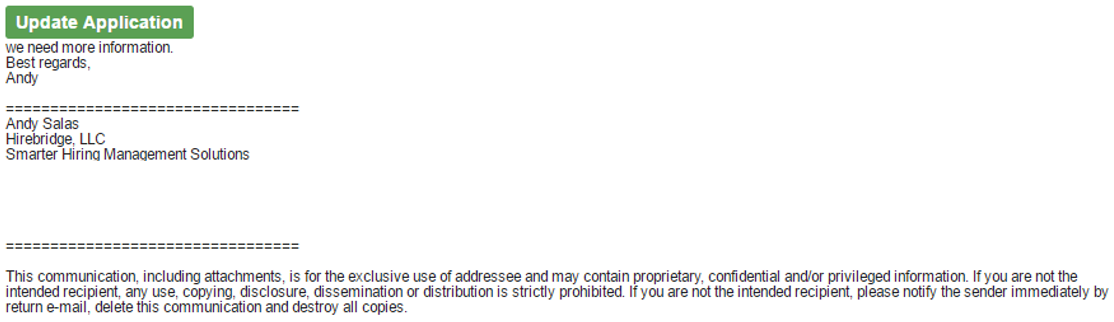
- The candidate can now select the "Update Application" button, which will take the candidate to their application.
- This will now allow the candidate to go through the application and edit and update fields.
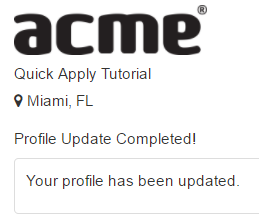
- After the candidate has finished updating their information a confirmation page will load and tell the candidate that the profile update was completed and updated.