This article will cover how to access and edit the setting to only forward QUALIFIED candidates to users & hiring managers and do not forward candidates that are disqualified (based on screening questions).
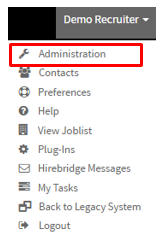
- The first step is to select your username in the top right corner.
- A drop-down menu will appear, this is where you will select "Administration"
- This will now take you to the "Administration Control Panel".
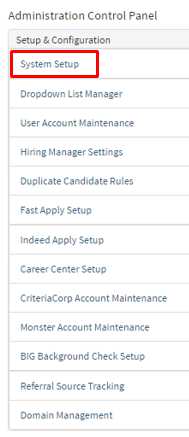
- On this page in the column Setup & Configuration, select "System Setup".
- System setup will now go to the Company Preferences page where you will select "Notify Limits".
- This tab will allow you to edit the setting for qualified candidates.
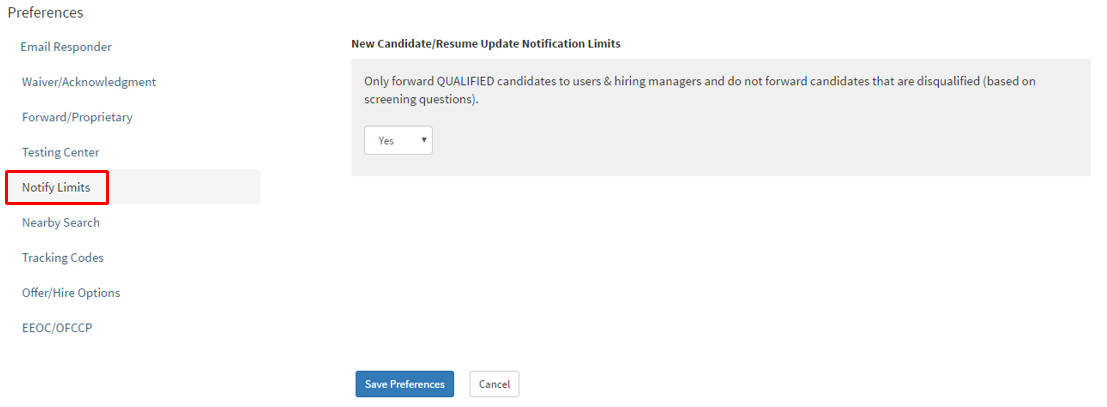
- If you have new candidate notifications on for a requisition you can now turn this limiting feature on to only see qualified candidates or not to.
- Once you have selected the option to have this feature on by selecting yes or no.
- Select the blue "Save Preferences button at the bottom of the page.