This article will cover the tracking code section in system setup.
The tracking code can be used for tracking campaigns or tracking traffic in applications.
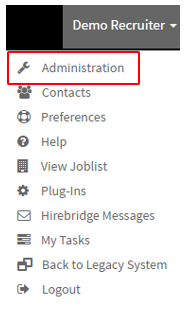
- To access the tracking code section select the username in the top right corner.
- A drop-down menu will appear where you will select "Administration"
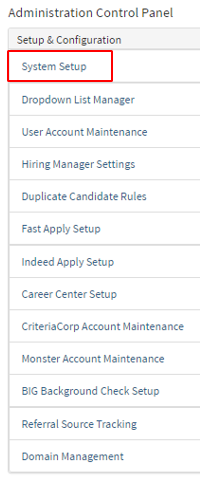
- This will take you to the "Administration Control Panel" where you will select "System Setup".
- Once on the System Setup page on the left select "Tracking Codes".
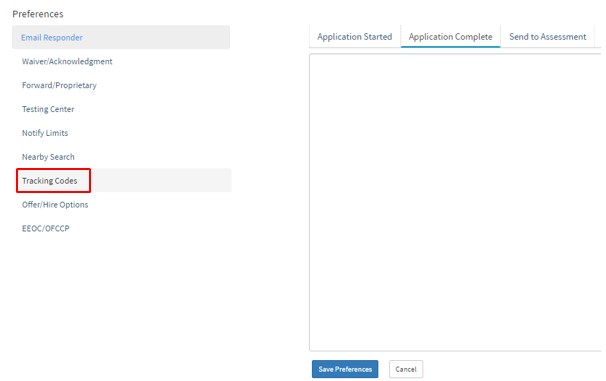
Third parties usually will provide you with code where you can track to when the candidate started, completed the application and when the candidate was sent for assessment.
- In order to insert the code simply select the code provided to you by the third party
- select which section you would like to track for example Application Started, Application Completed, or Send to Assessment section.
- Then insert the text provided to you into the specified tab.