This article will cover how to setup notifications for new candidates that have applied to a requisition.
- To add individuals that want to be notified when new candidates apply select the "Notepad and Pencil" icon. (Pictured below)
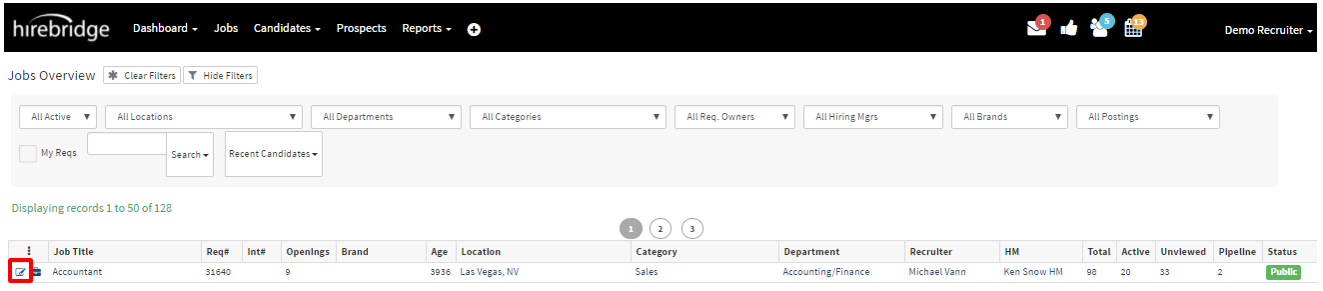
- This will take you to the "Requisition Editor" page.
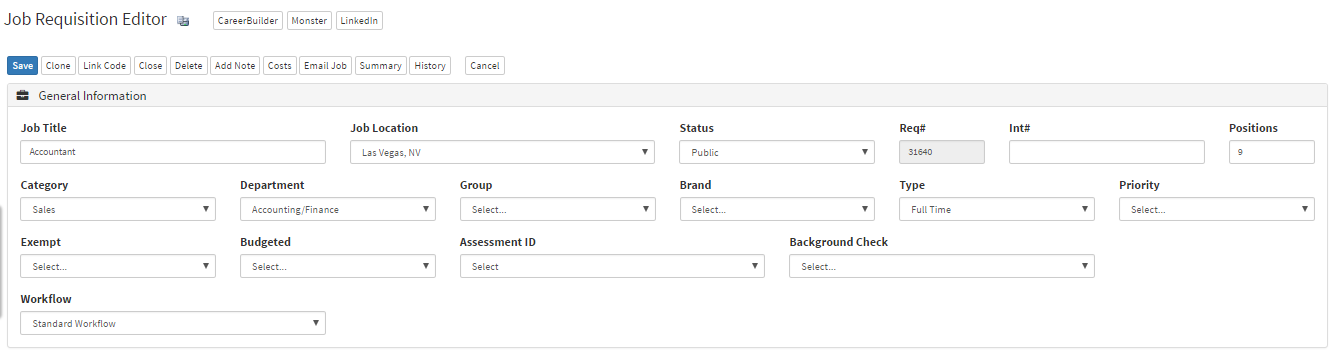
- On this page scroll down to the "Hiring Team" section.

- Outlined in the section above is where you can add individuals to be notified of new applications in the requisition.
- Hirebridge users and contacts are available to be notified.
- To add an individual simply type their name into the box.
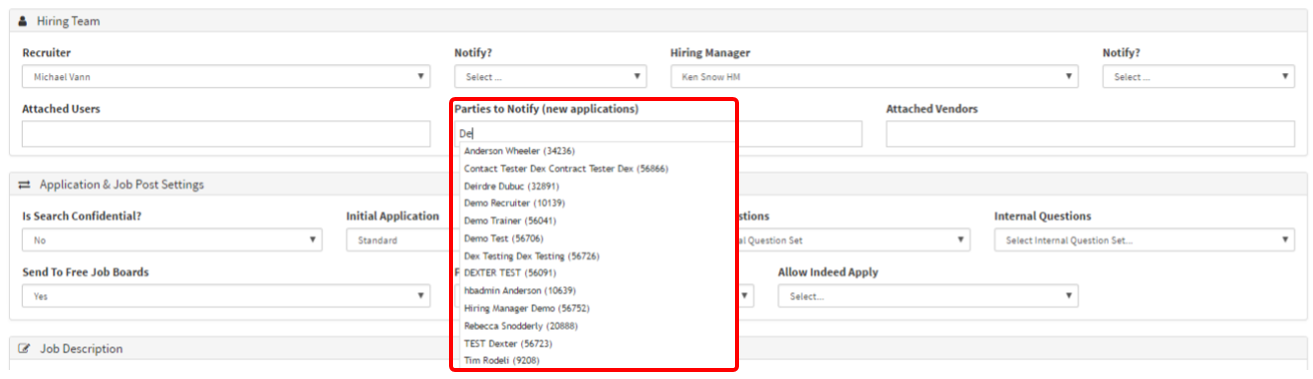
- In the picture above, as you type the individuals name a predictive list of users/contacts will load.
- You are able to add multiple individuals to be notified.
- To delete individuals simply select on the red "X" next to the user name.
