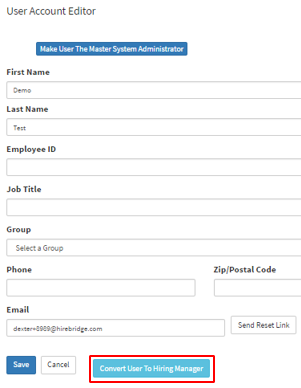
This article will cover how to convert Hiring Mangers into users and vice versa.
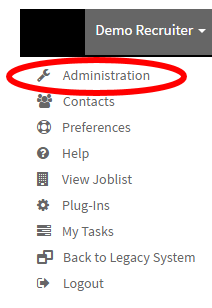
- In the top right corner of the navigation bar select your name.

- Selecting on your name will load a drop-down menu where you will now select "Administration".
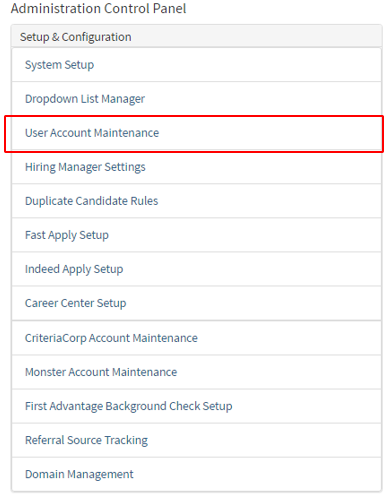
- Once you have selected "Administration" it will take you to the "Administration Control Panel".
- On this page select "User Account Maintenance".
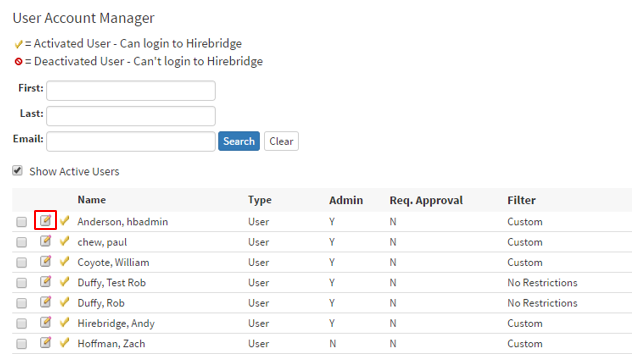
- On the "User Account Manager" page this will now show the list of users.
- In the column Type you can see if the person is a user or hiring manager
- To edit the type of user they are select the pencil and paper icon on the left side.
- In the Hiring Manager Account Editor page, is where you are able to edit the user profile.
- Outlined below at the bottom is where you can select "Convert Hiring Manager To User".
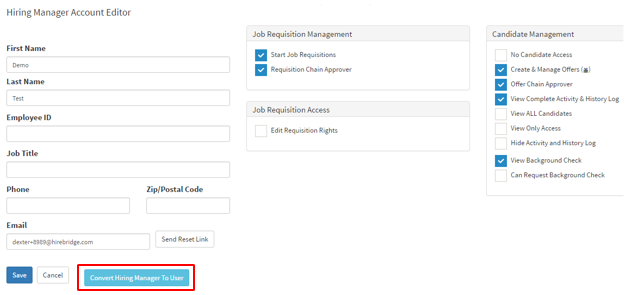
- After you have selected the button a pop-up will appear verifying that you are okay with the change.
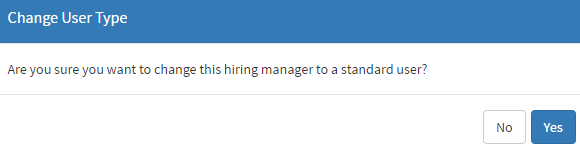
- Selecting yes will now turn the Hiring Manager into a User
- On the profile, it will now give you the option to turn the user back into a hiring manager.
(Outlined in red below) - This button will change based on settings and enable you to turn the profile into a hiring manager or user.