Domain Management is used for Employee Referrals and Intranet.
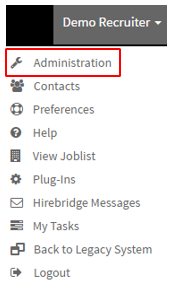
- To get access to the "Domain Management" page select your username on the top right corner.
- After selecting your username a drop-down menu appears.
- This is where you will select "Administration" which will take you to the "Administration Control Panel" page.
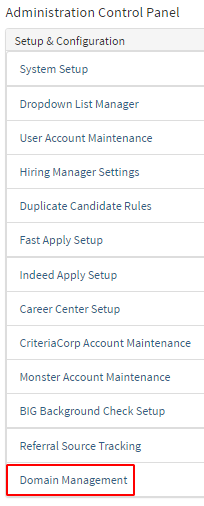
- Once on the Administration Control Panel page select "Domain Management" outlined below in red.
- You will now land on the "Company Domains" page where you can enter domain names from which employees will be recognized as a company employee.
- For example (sample@hirebridge.com) anyone associated with this email domain will be recognized as an employee.
- This feature also works on referrals. If a candidate uses a referral email with the domain recognized by our system it will save it as an employee referral.
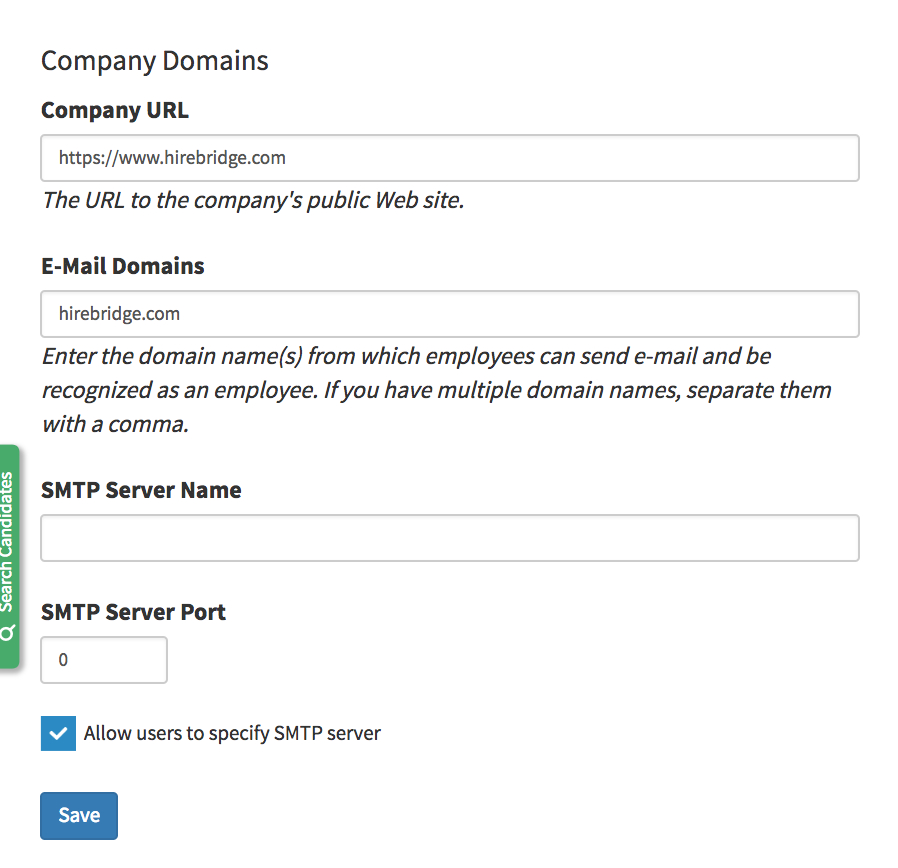
- This page also allows you to set up the companies SMTP server so that emails can be sent out using the company server instead of the default Hirebridge mail server. Filling out the following credentials enable this feature.
- SMTP Server Name
- SMTP Server Port
- Checking the Allow users to specify SMTP server allows users to use their own SMTP server to send emails.
- Once you have entered the Domain name select the blue "Save" button.