This article will cover how to manage the Hiring manager settings.
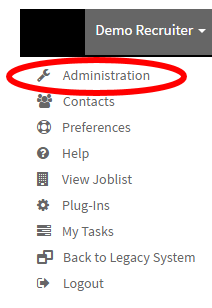
- In the top right corner of the navigation bar select your name.

- Selecting on your name will load a drop-down menu where you will now select "Administration".
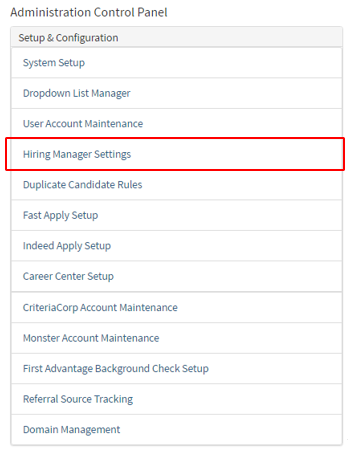
- Once on the "Administration Control Panel" under the "Setup & Configuration" select "Hiring Manager Settings".
- This will now take you to the hiring manager settings page where you can control all the hiring manager features. (Pictured Below)
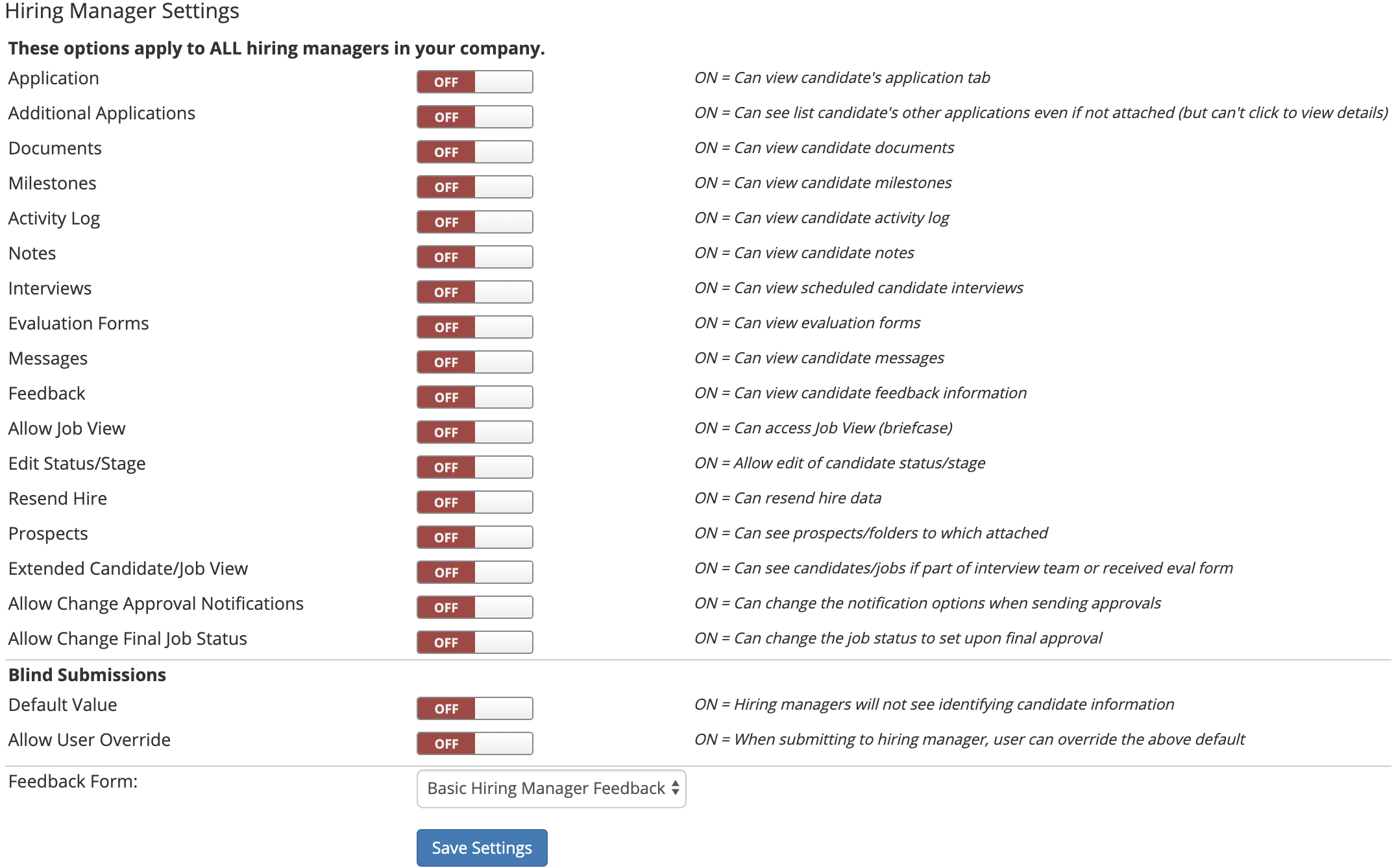
- Once you are satisfied with the Hiring Managers settings select the blue "Save Settings" button on the bottom of the page.