This article will cover how to copy a candidate into another requisition.
- In the candidate profile, select the "Multiple Page" icon.
- This button will enable you to copy a candidate into another requisition
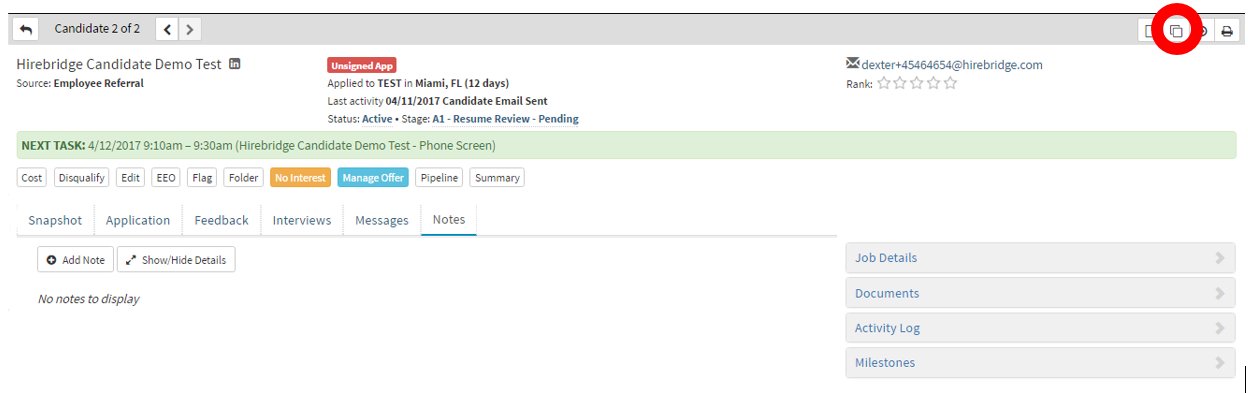
- Once you have selected the "Multiple Page" icon a pop-up will appear (Displayed below)
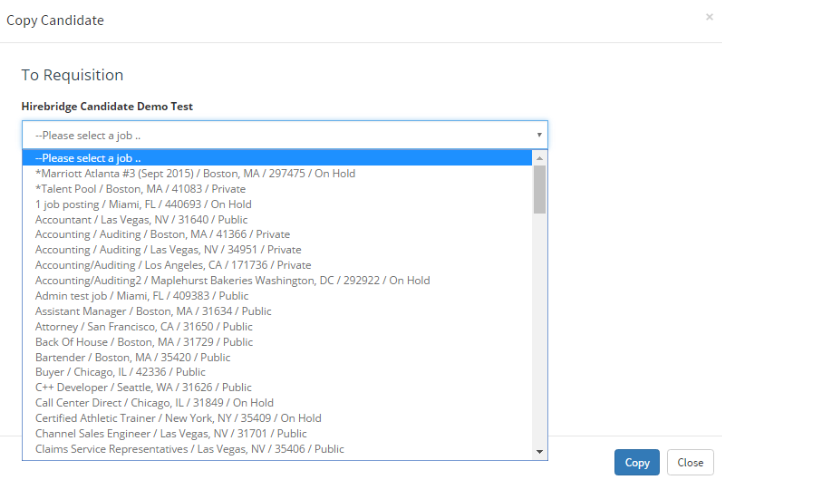
- This page gives you a list of requisitions you can copy the candidate into.
- Once satisfied with the requisition the candidate is being copied to select the blue "Copy" button.
- The candidate will now be copied into the new requisition and a confirmation will let you know that you can now able to close the page.