This article will cover how to add a candidate to a job requisition as a vendor.
Requirements to add a candidate:
- Vendor has to be added to the company list of vendor referrals.
- Vendor has to be attached to a job requisition
Once you have the requirements above, please follow the listed steps below to adding a candidate to a job requisition.
- First step is to log into your "Vendor Portal" page.
- This page is provided to you when your account was first registered as a vendor.
- This link is sent to you via the e-mail along with login credentials.
- This link can also be provided from a Hirebridge Admin.
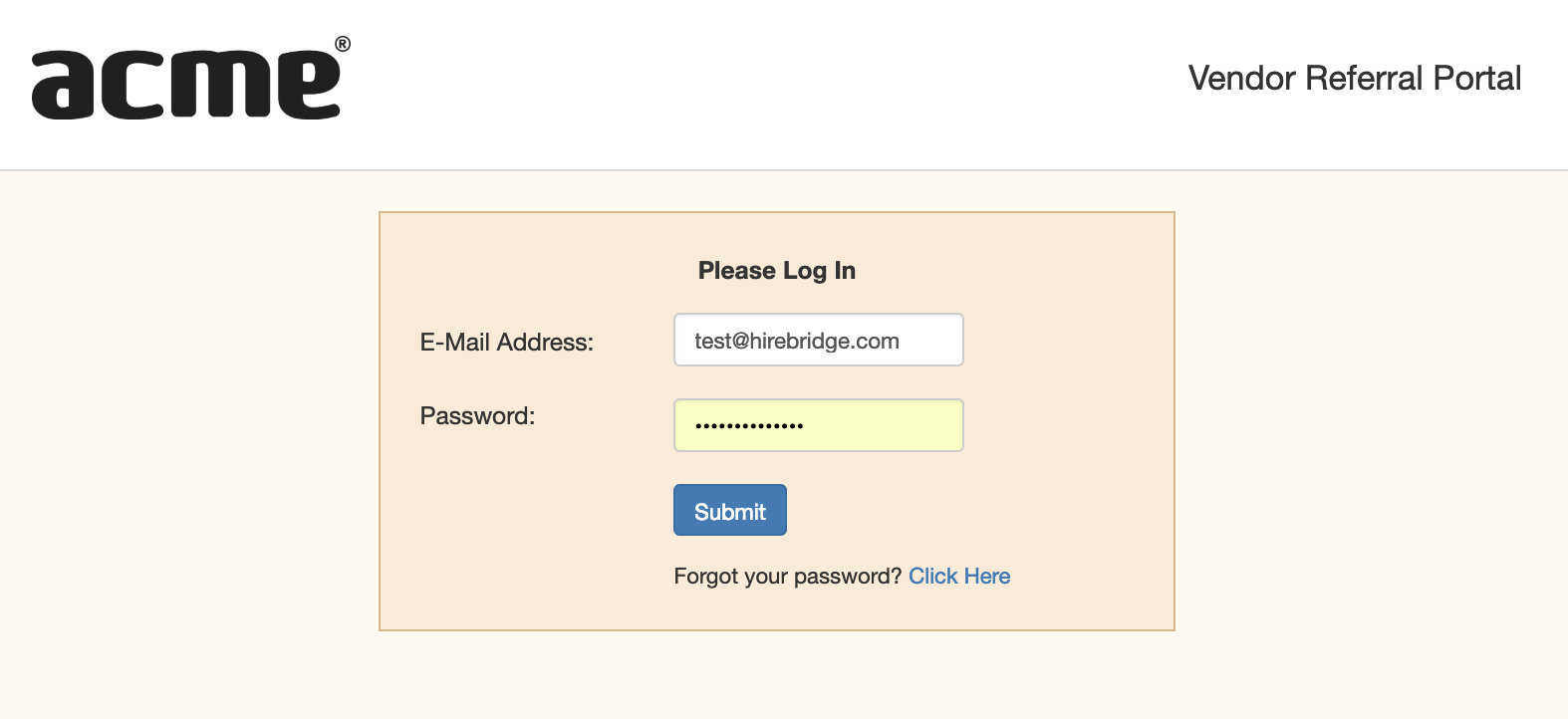
- Once you have logged into your vendor account, a list of requisitions that the vendor is attached to will appear.
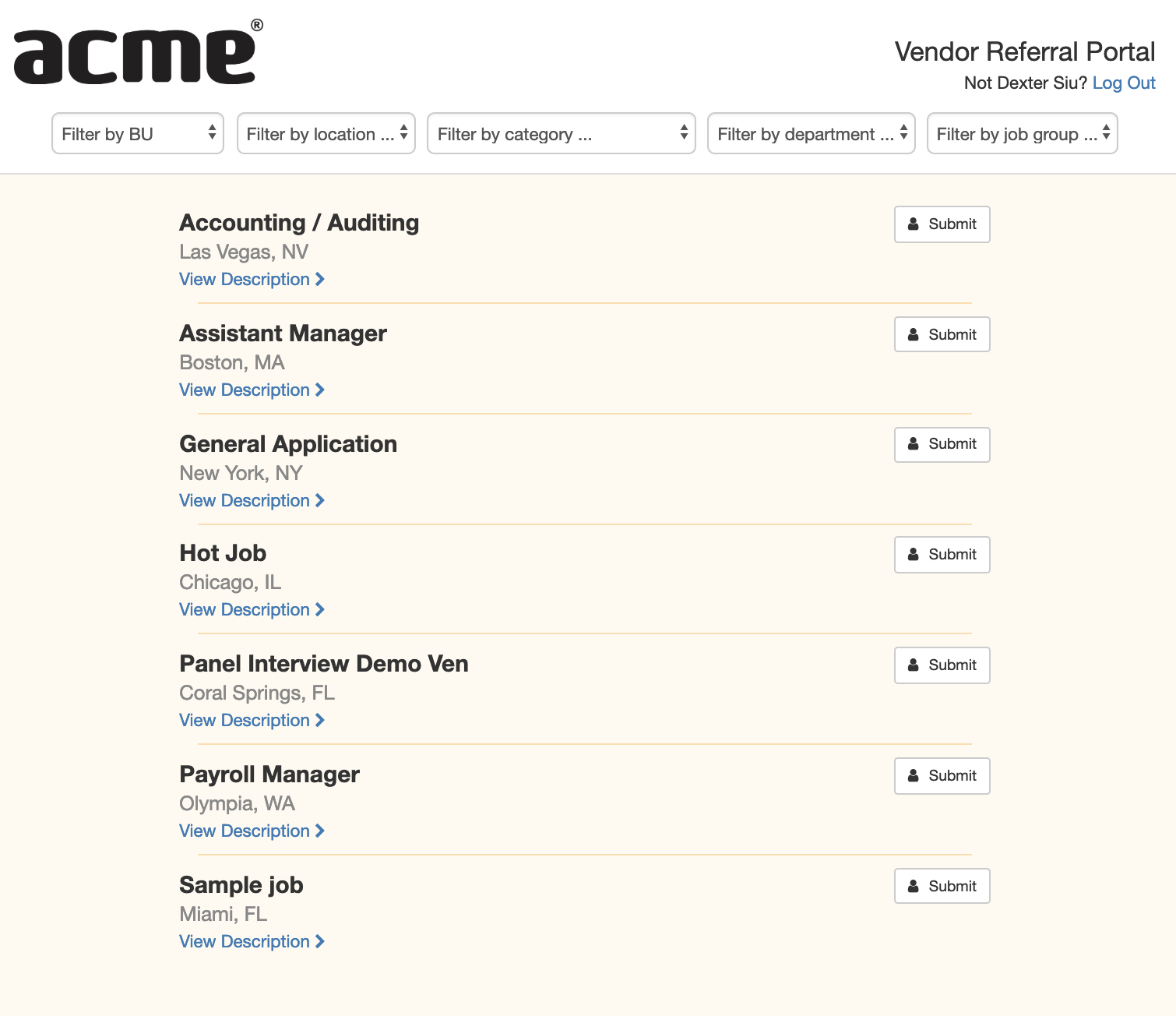
- The job title will be displayed along with the location below the title.
- Selecting View Description will open up the job description.
- To add a candidate click on the Submit button.
- A pop-up will appear requesting the candidate information.
- The text-boxes outlined in red are fields that require the candidate information.
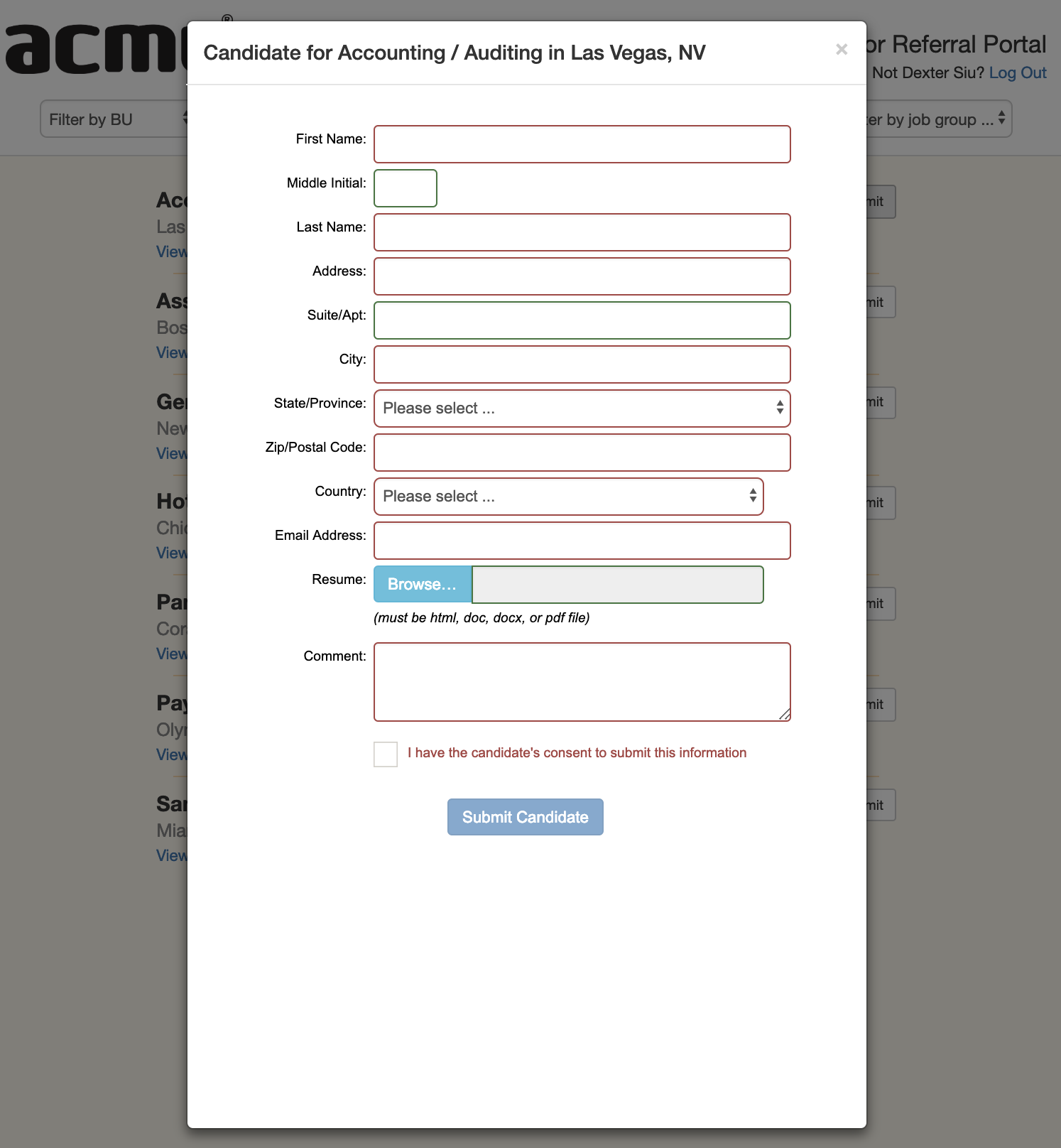
- After you have filled out the candidate information and clicked "Submit Candidate" a confirmation page will load letting you know that the candidate has been submitted to the position.