This article will quickly cover the Jobs Overview page.
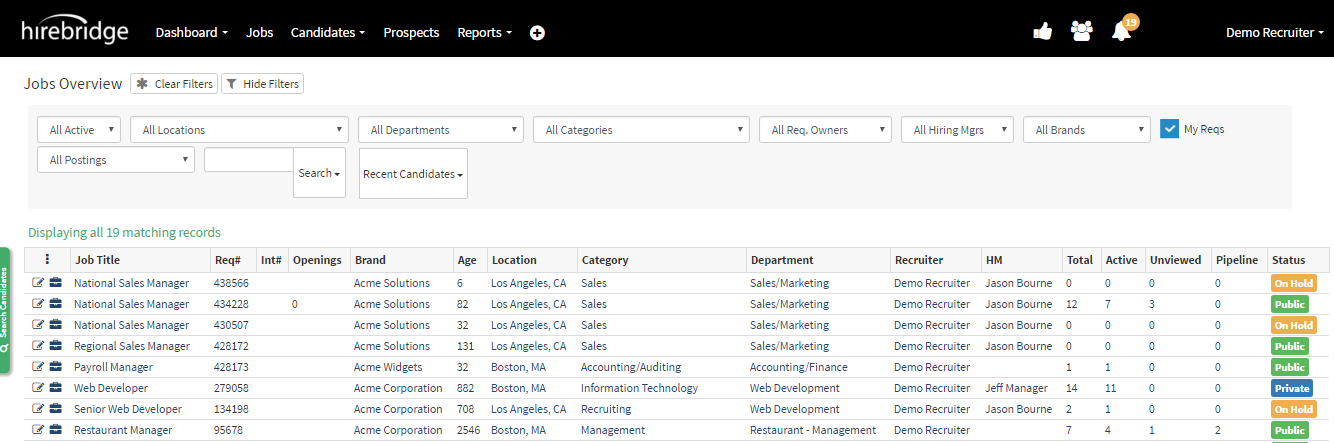
- This page will be reviewed in red outlined sections.
- The first part we will cover the outlined section below

- The top section of the Job Overview page allows you to search job requisitions with specific filters.

Filter Options -
- All Active - Allows you to filter by requisition status
- All Locations - Filter requisition by location
- All Departments - Filter requisitions by location
- All Categories - Filter by categories
- All Requisition Owner - Filter by requisition owners
- All Hiring Manager - Filter by hiring manager
- All Brands - Filter by company brands
- All Postings - Filter by network Ex: Intranet
- Search - Allows you to search by Requisition number/ Internal number/ Job Title.
- Recent Candidates - Enables you to search for candidates based on date
- My Req (Checkbox) - when checked allows you to search requisitions belonging to you.
Section 2
Will cover the second part of the job overview page.
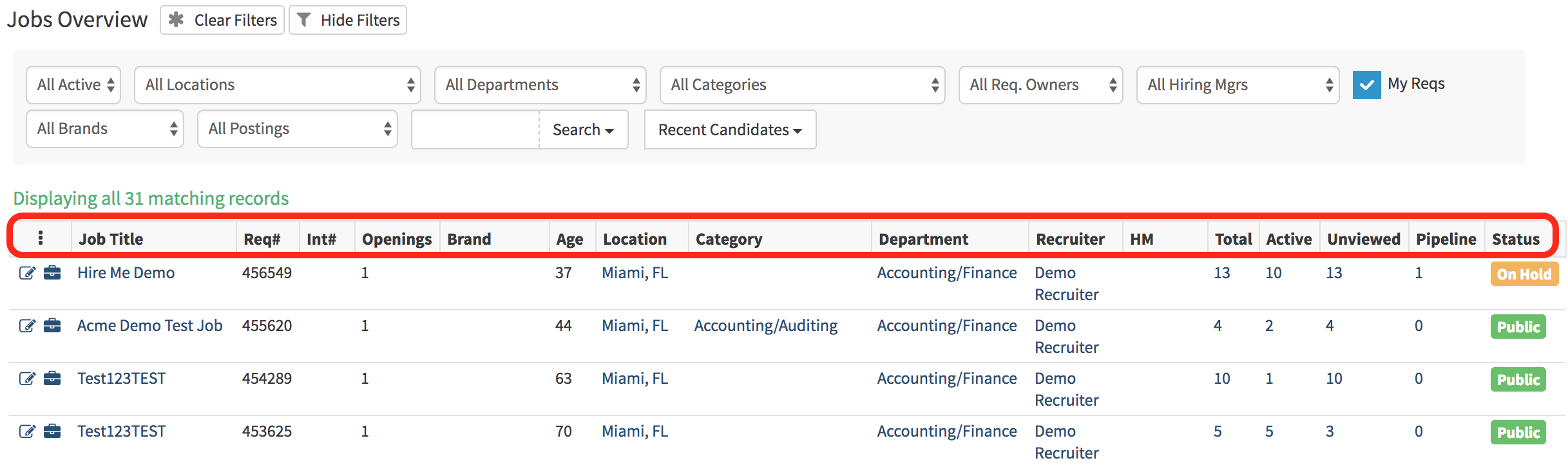
Job Requisition Columns:
- Job Title - Lists jobs requisitions
- Req # - Lists the job requisition number
- Int # - Is where the internal number for the job requisition would be listed
- Openings - The job requisition was only a certain amount of openings
- Brand - Brand associated with the job requisition
- Age - How old the job requisition is in days
- Location - location of the job requisition
- Category - Category of the job requisition
- Recruiter - Recruiter associated with the job requisition
- HM - Hiring Manager associated with the job requisition
- Total - The total number of candidates that have applied to the job requisition
- Active - Total number of candidates awaiting action
- Unviewed - Total number of candidates that have not been viewed
- Pipelined - Total candidates that are pipelined
- Unscreened - Candidates that have not yet been viewed, have not been disqualified by a pre-screening question, or had a bulk or automated action performed on their profile.
- Status - The status of the job requisition