If you need to update your login credentials, you can reset your password directly from your account settings. Follow the steps below:
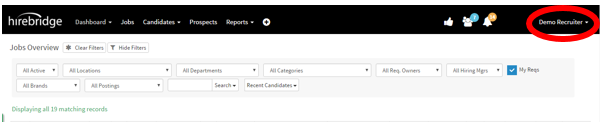
1. Click Your Name
In the top-right corner of the screen, click your name to open a dropdown menu.
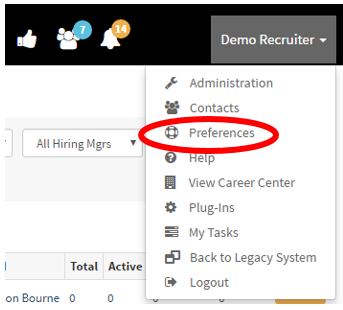
2. Select “Preferences”
From the dropdown menu, click on Preferences.
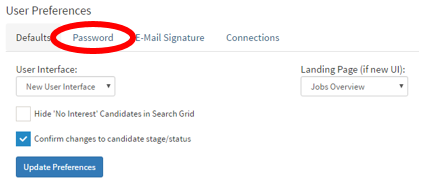
3. Navigate to the “Password” Tab
You will be taken to the User Preferences page. From here, select the Password tab.
4. Enter Password Information
-
-
Enter your current password
-
Enter your new password
-
Confirm the new password
-
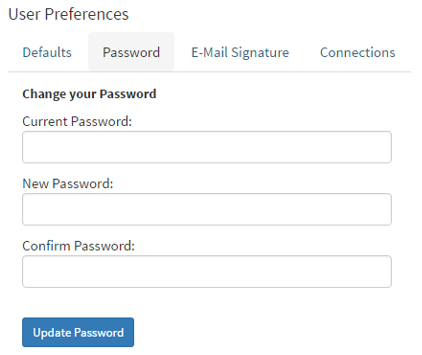
5. Save Your Changes
Click the blue Update Password button to save your new password.
Once updated, your new password will take effect immediately.