Company Dashboard
The Company Dashboard provides a high-level snapshot of your organization’s recruiting activity. It’s designed to help you quickly monitor candidate trends, job requisition statuses, and recruiter performance — all in one place.
Below is a breakdown of the dashboard sections, each typically outlined in red on the screen for easy identification.
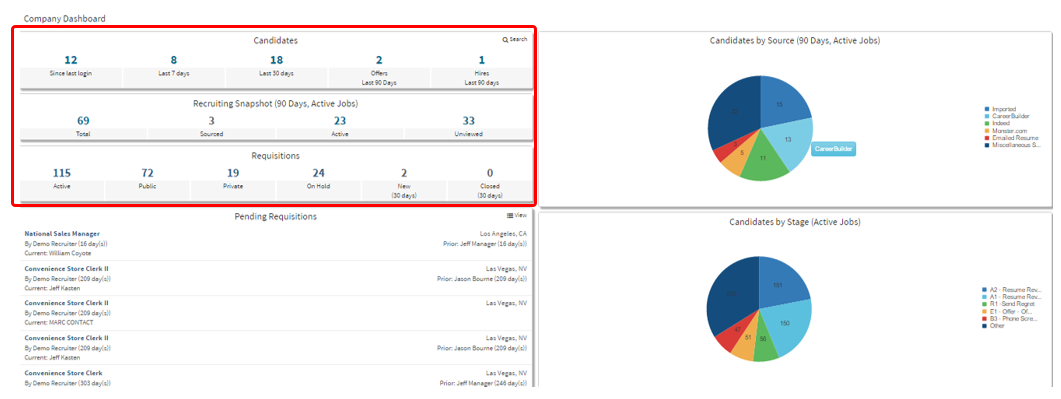
Candidates
This section displays new candidate activity relative to your login and overall recent recruiting efforts:
-
Since Last Login – Number of new candidates since your last login
-
Last 7 Days – Number of new candidates submitted in the past 7 days
-
Last 30 Days – Number of new candidates submitted in the past 30 days
-
Offers (Last 90 Days) – Total number of offers extended in the last 90 days
-
Hires (Last 90 Days) – Number of hires completed in the last 90 days
Recruiting Snapshot (90 Days, Active Jobs)
This section shows a summary of candidate activity over the past 90 days for active job postings:
-
Total – Total number of candidates
-
Sourced – Number of candidates actively sourced
-
Active – Number of candidates in active consideration
-
Unviewed – Number of candidates who have not yet been viewed
Requisitions
This section tracks the current status of your job postings:
-
Active – Jobs that are currently active
-
Public – Jobs visible publicly (e.g., on career pages)
-
Private – Internal-only job postings
-
On Hold – Jobs currently paused or on hold
-
New (30 Days) – Requisitions opened in the past 30 days
-
Closed (30 Days) – Requisitions closed in the past 30 days
The next section will cover the Pending Requisitions outlined in red below.
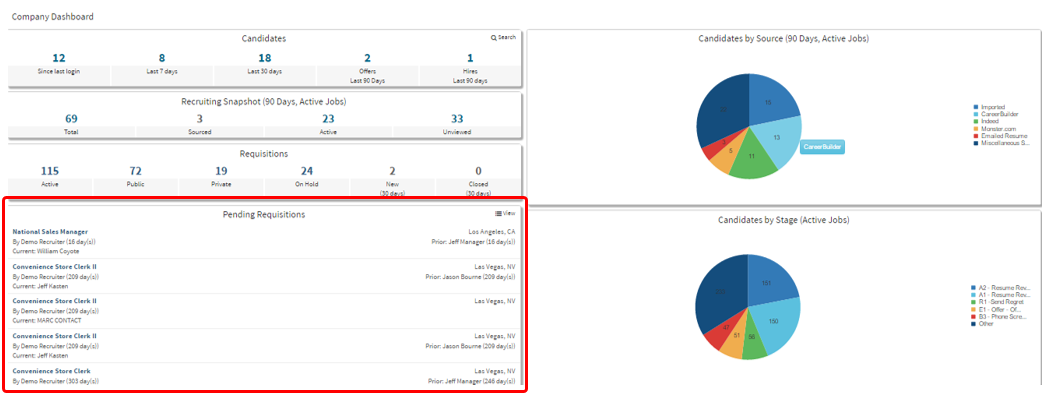
Pending Requisitions
This area lists job requisitions that are awaiting approval.
-
-
Each requisition title is clickable and will take you directly to the requisition editor for review or approval.
-
The next section we will cover is the outlined below on the right side of the Company Dashboard.
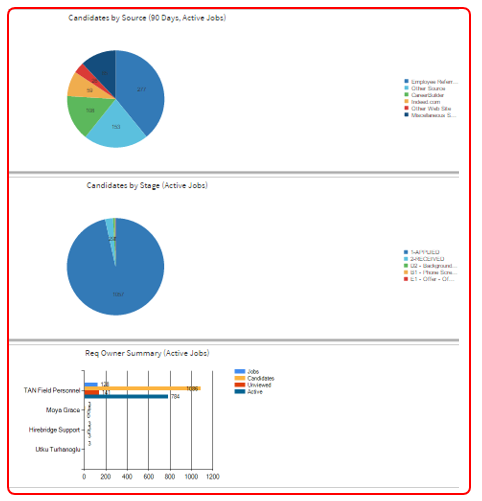
Right-Side Dashboard Panels
Located on the right side of the Company Dashboard, these visual summaries give further insights into recruiting trends:
-
-
Candidates by Source (90 Days, Active Jobs) – Pie chart showing where candidates are coming from
-
Candidates by Stage (Active Jobs) – Pie chart showing the current stages of candidates
-
Requisition Owner Summary (Active Jobs) – Bar graph listing requisition owners and their associated activity
-