This article will give an overview of Job Requisition page
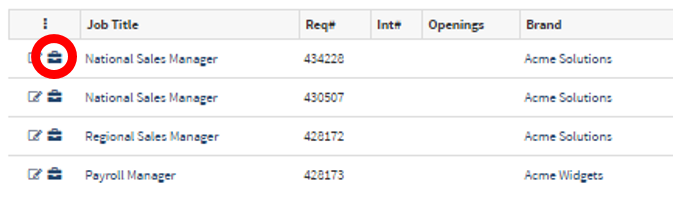
- Next to each job requisition, there is a small briefcase.
- Clicking on the briefcase icon next to the job requisition title will take you to the job overview page.
The image below is the Job Requisition overview page.
The Job Overview page will be covered in outlined sections below.
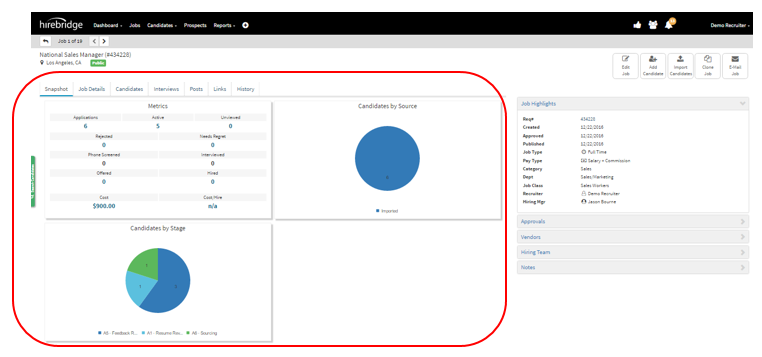
- Snapshot –
- Metrics –
- Applications- Applications received to the job requisition
- Active – Active candidates
- Unviewed - Candidates that have not been viewed yet
- Rejected – Candidates that have been rejected
- Needs Regret – Candidates that need to be emailed regret letters
- Phone Screened – Candidates that have been phone screened
- Candidates by Source –
- This will display in a pie chart where you candidates for this specific job have been sourced from.
- Candidates by Stage –
- Displays candidates stage for the specific job in a pie chart.
- Metrics –
- Job Details – This section will give you the general information about the job requisition
- Candidates – This tab will allow you to view the candidates in a list
- Interviews – This tab will display scheduled interviews
- Posts – Allows you to post/view the job requisition on external job boards
- Links – This is a link to the specific job requisition. This is an easy way to share a private/public job with someone.
- History – This tab shows the activity history of the job requisition.
This section we will cover the outlined section in the image below.
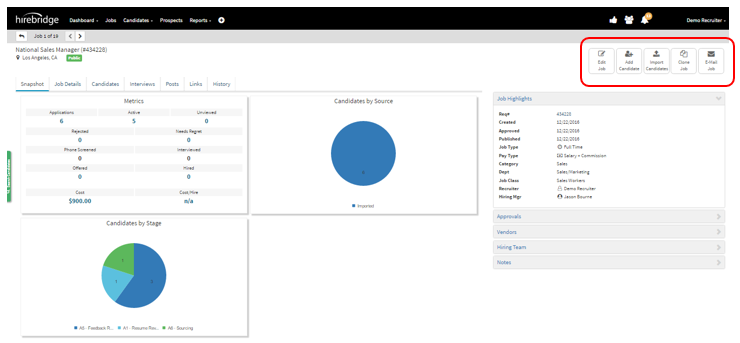
- Edit Job – This allows you to edit the job requisition
- Add Candidate – This allows you to manually add a candidate into the requisition
- Import Candidate – Allows you to import candidates either through multiple CSV, .doc, .docx, .htm, .html, or .pdf file extension file.
- Clone Job – Allows you to clone the job
- E-mail Job – Allows you to email the job requisition with the job description.
In this part we will cover the outlines section below
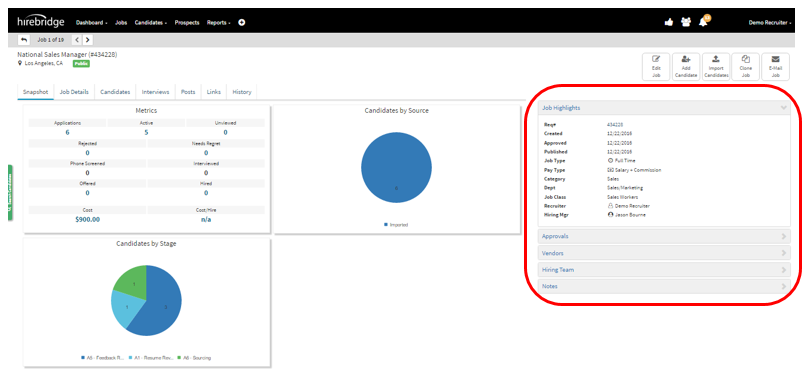
- Job Highlights – Displays important job requisition information
- Approvals – Show approval history and status.
- Vendors – Allows you manage the vendor list.
- Hiring Team – Allows you to manage the hiring managers along with notifications
- Notes – Allow you to add notes to the job requisition and shows the history of notes.