My Dashboard Tab
This article will cover the My Dashboard tab and its features.
(Information displayed will vary based on company)
My Dashboard will load all information that is attached to the user.
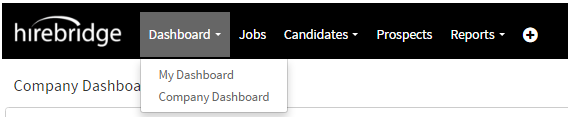
This section gives user based information of the following:
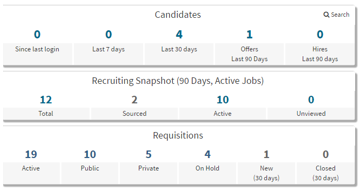
Candidates - Displays the number of candidates that have applied to job requisitions belonging to the user.
Recruiting Snapshot (90 Days, Active Jobs) –
- Total means how many candidates that are in active jobs.
- Sourced candidates are candidates that have sourced by a recruiter.
- Active candidates are candidates that have applied and are waiting for action.
- Unviewed are the number of candidates that have not been viewed yet.
Requisitions – Displays how many job listings the user has that are active, public, private, on hold, New within 30 days and closed within 30 days.
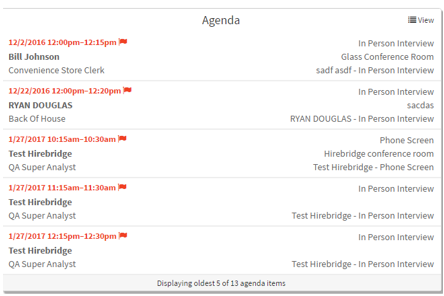
Agenda - Shows you the list of tasks that need to be completed.

Offers Extended - Displays job offers that have been extended within 90 days of active jobs.
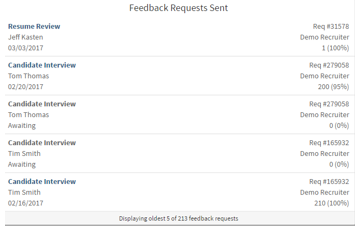
Feedback Requests Sent - This shows candidates that have been sent question sets that are waiting to be answered. This section will display the candidate's name, date of completion or status, requisition number, requisition status, requisition owner and the scoring of the question sets.
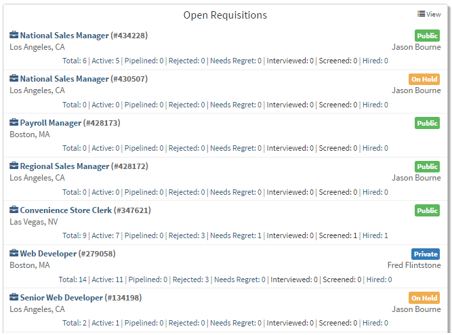
Open Requisitions - Displays the newest 10 of the total requisitions and information about the job requisition.
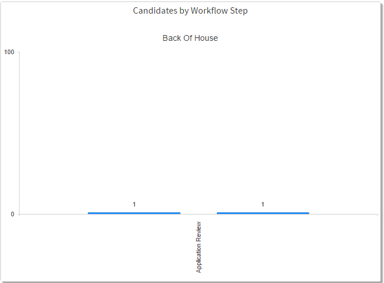
Candidates by Workflow Step - Displays the candidates in your requisitions and their current stage in the workflow step.