This article will guide you on how to post jobs to Monster job board.
Requirements
- Contact a Monster representative to receive credentials to be able to post
After you have received your Monster credentials do the following.
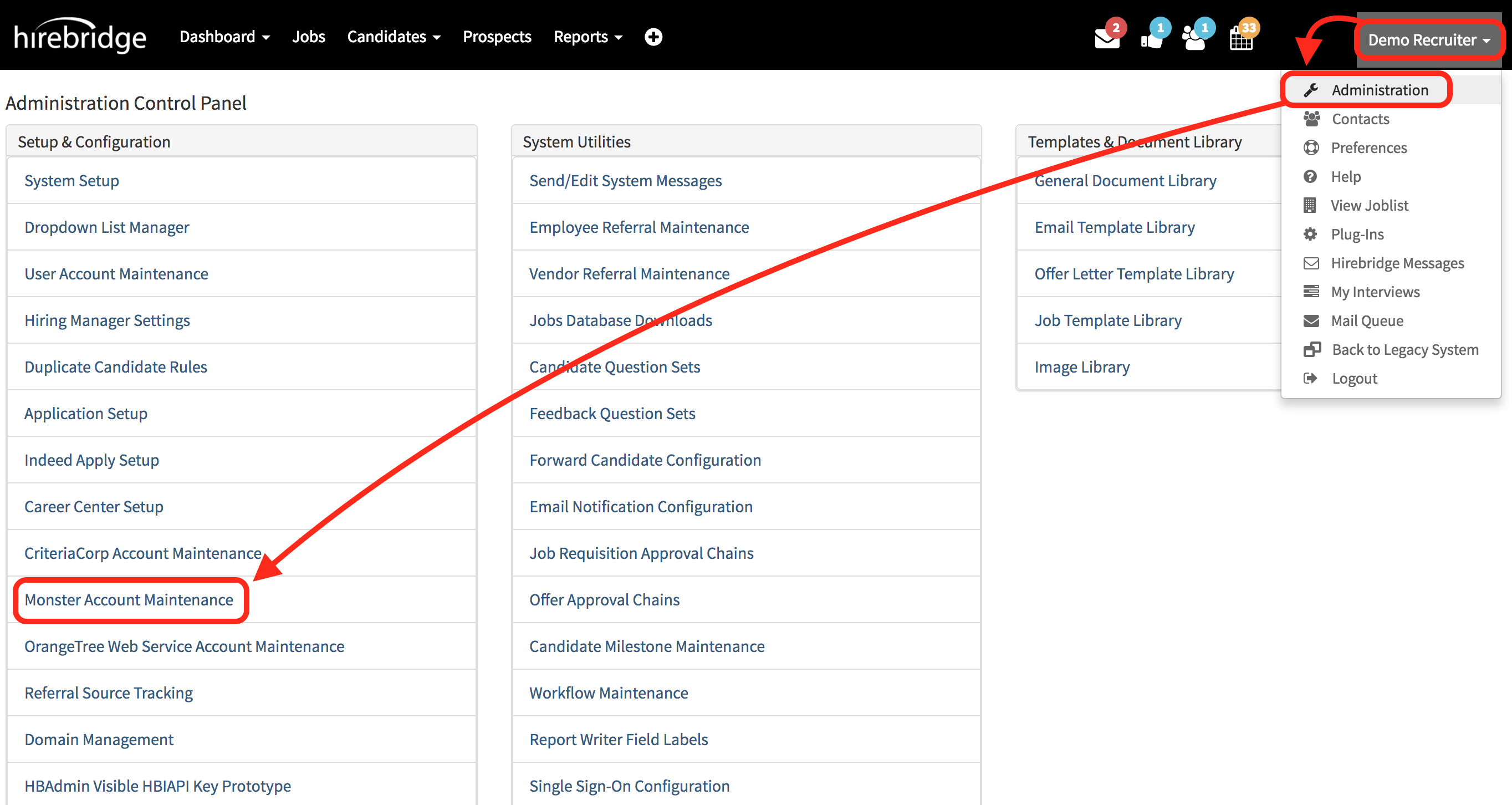
- Select your username in the top right corner then select "Administration"
- This will take you to the "Administration Control Panel" where you need to select "Monster Account Maintenance".
- After you have selected the "Monster Account Maintenance" it will take you to the page where you will enter the Monster credentials.
- All of the credentials will be provided to you by your Monster representative.
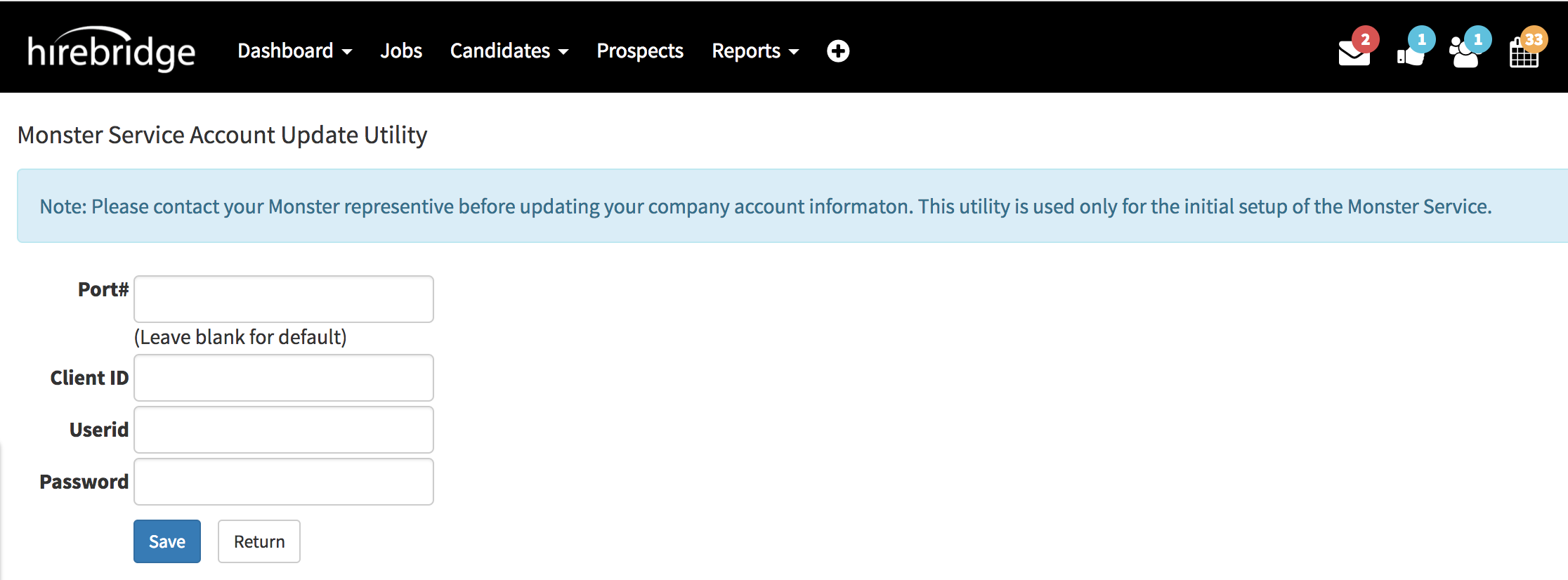
- After entering the monster credentials select the blue "Save" button.
Now that you have set up the Monster Account you can now post jobs on Monster.