You can add parameters (such as utm_source, utm_medium, and utm_campaign) to both the JOB DETAILS URL and the JOB APPLY URL that you provide to agencies or job boards, to capture reporting data about the referring campaign. For example, the following link would allow you to identify the traffic to example.com that came from a particular source, as part of a particular campaign:
utm_source=Indeed&utm_medium=Job_Board&utm_campaign=Q42019
This would indicate that the candidate came from Indeed, the medium would be captured as Job Board, and the campaign this is associated with is Q4201
Source
utm_source
- Use utm_source to identify a search engine, newsletter name, or other source.
- Example: google
Medium
utm_medium
- Use utm_medium to identify a medium such as email or cost-per- click
- Example: cpc
Campaign
utm_campaign
- Used for keyword analysis. Use utm_campaign to identify a specific product promotion or strategic campaign.
- Example: utm_campaign=spring_sale
How To Create A Custom Link With UTM Source Codes
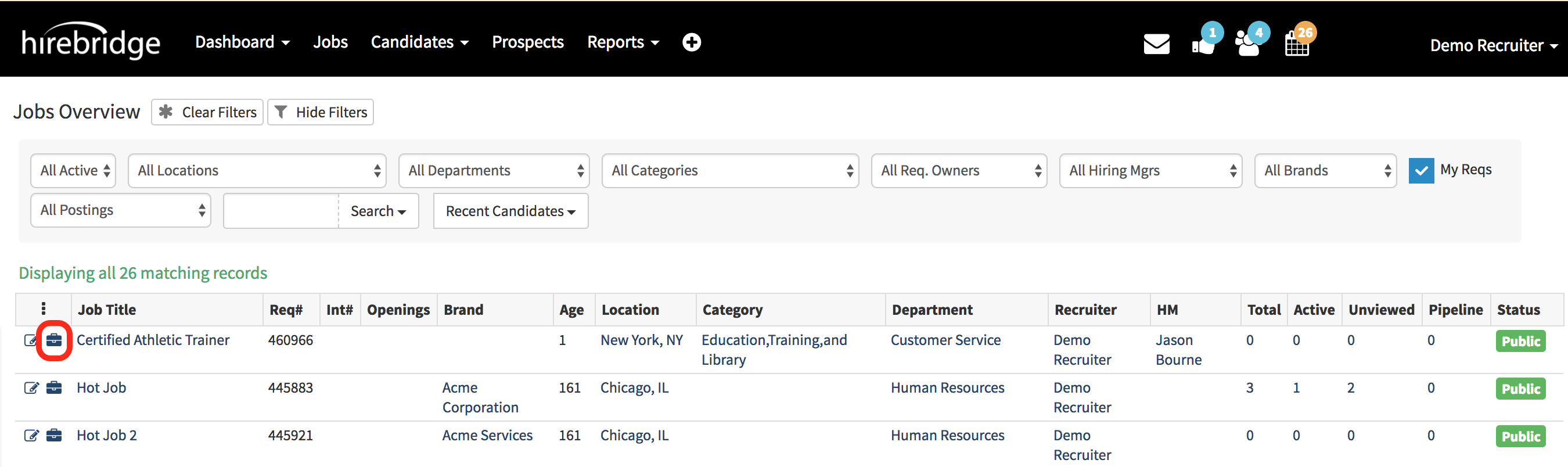
- The first step is to select the "Briefcase" icon next to the requisition.
(Outlined in the image below in red) - This will take you to the requisition "Overview" page.
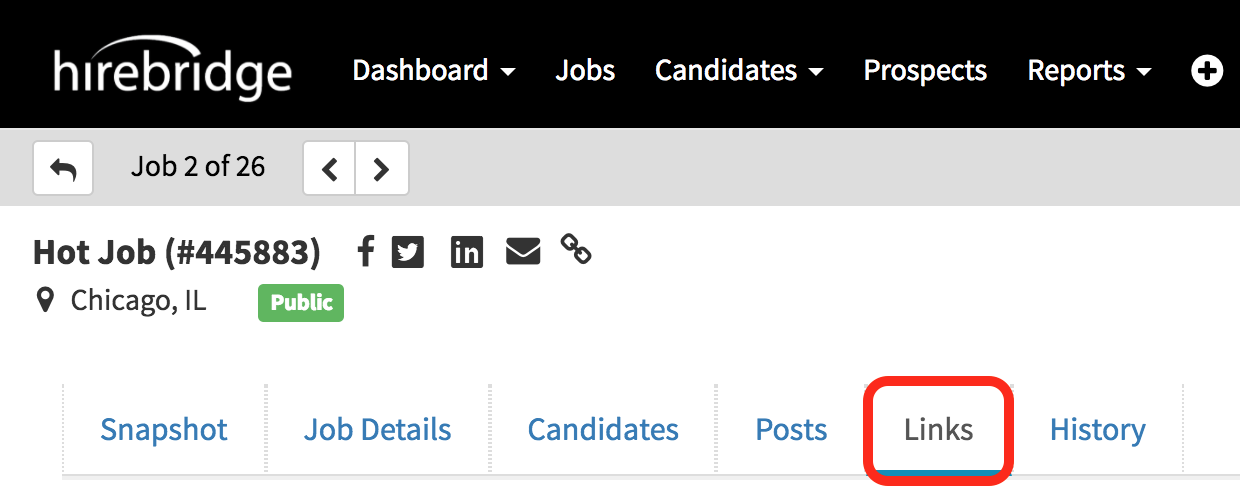
- Once you are on the "Requisition Overview" page select the "Links" icon.
(Outlined in the image below in red)
- This tab will allow you to create a custom link that that particular job details page, or direct apply url
- Campaign - You can type in the text box to create a custom campaign or select from the drop-down list for previously created campaigns.
- Source - You can type in the text box to create a custom source or select from the drop-down list for previously created source.
- Medium -You can type in the text box to create a custom medium or select from the drop-down list for previously created medium.
- Once you have created or selected a custom referral source tracking link select "Update Links".
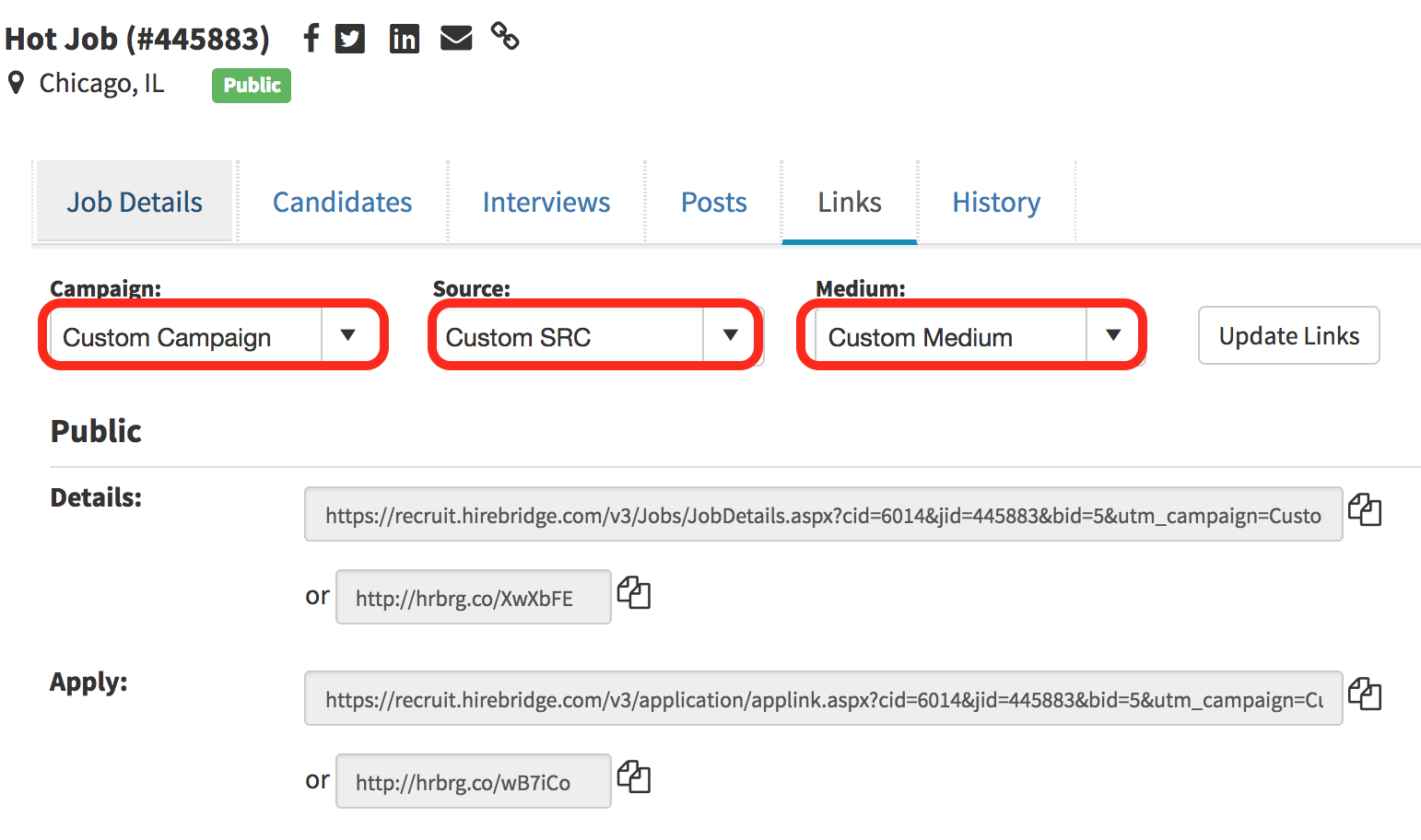
- When you share the link it will now include the custom source tracking information.
Example of copied custom referral source tracking link
https://recruit.hirebridge.com/v3/Jobs/JobDetails.aspxcid=6014&jid=460966&utm_campaign=custom campaign&utm_source=custom src&utm_medium=custom medium
These links will direct the candidate to that specific requisition with the custom sources for tracking.