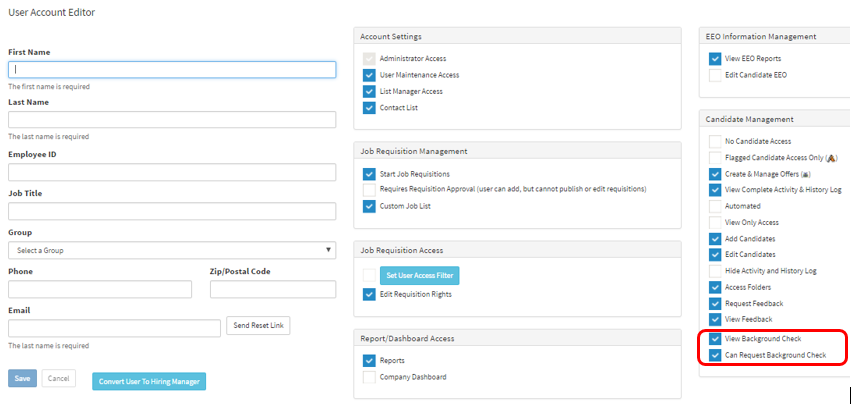
This article will guide you on how to setup background settings for users.
Before we check for this option you will need to have a background integration setup
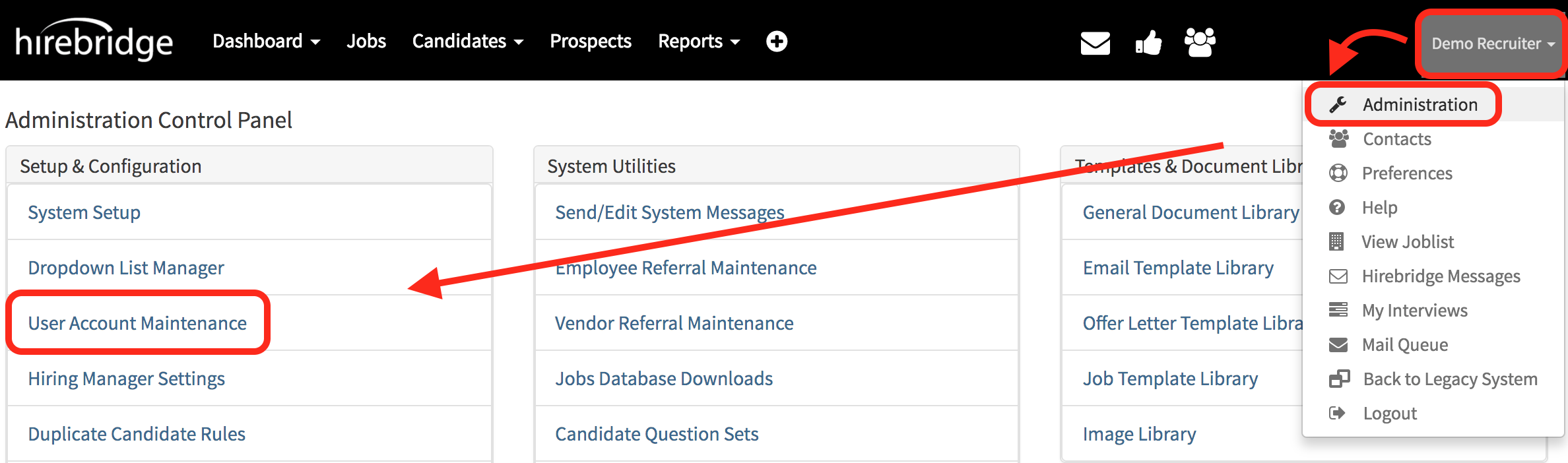
- Select your username in the top right corner which will open up a drop-down menu.
- From the drop-down menu select "Administration"
- On the "Administration Control Panel" page select "User Account Maintenance".
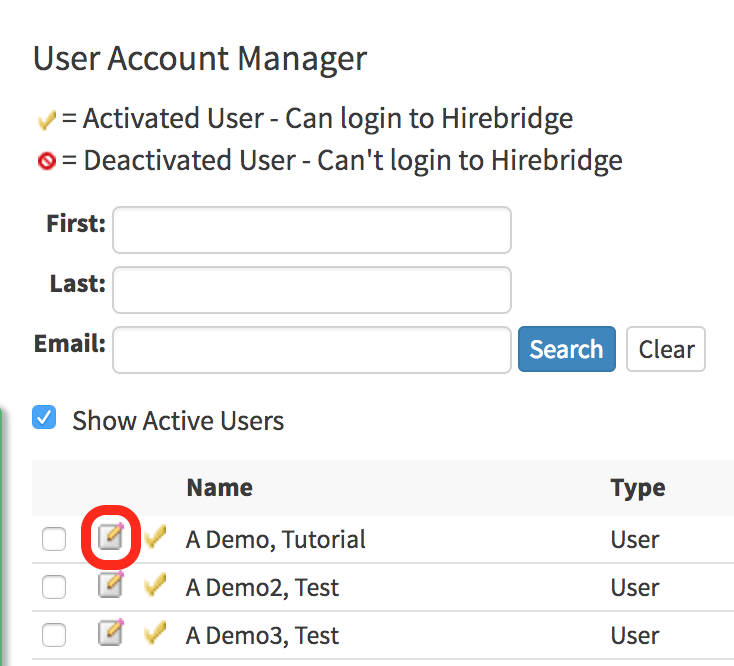
- Now that you are on the "User Account Maintenance" page edit a Hirebridge user by selecting the paper and pencil icon next to the user. (Outlined in red below)
- In the user profile in the "Candidate Management" section there are two options.
- View Background Check
- Can Request Background Check
- Checking the boxes next to their name will activate that feature for the user.